 Starting & growing a business
How to Start an Online Shop in the UK: the 2026 Guide
How to start an online shop in the UK in 2026: register with HMRC, distance selling and 14-day refund rules, VAT, product safety, cookies, platforms and costs.
 Edited by Sumeet YadavFounder & editor, MSMETOOLS · fact-checked against official sources
Contents (11)
- 1. Step 1: Choose what to sell and test demand
- 2. Step 2: Choose where to sell
- 3. Step 3: Register your business
- 4. Step 4: Follow the distance selling rules
- 5. Step 5: Reviews, pricing and the DMCC Act
- 6. Step 6: Data protection, cookies and marketing
- 7. Step 7: Product safety and special products
- 8. Step 8: VAT and selling abroad
- 9. What it costs to start an online shop
- 10. Common mistakes new online shops make
- 11. What to do next
Starting an online shop in the UK takes less money and paperwork than opening a physical store, and you can test an idea within weeks. But selling at a distance comes with its own legal duties that many new shop owners only discover when a customer asks for a refund, or a marketplace sends their sales figures to HMRC. This guide covers each step for 2026: choosing products and a platform, registering the business, the distance selling and refund rules, the newer consumer protection rules on reviews and pricing, data protection, product safety, tax and VAT, with worked examples in pounds.
Quick answer
To start an online shop in the UK, choose your products and a platform (your own site, a marketplace, or both), register with HMRC as a sole trader or set up a company, and set up terms that meet the Consumer Contracts Regulations: clear prices, a 14 days cancellation right and refunds within 14 days. Add a privacy notice and cookie consent, pay the ICO fee, check product safety rules and watch the VAT threshold.
No licence needed for most online shops; sole trader registration is free
Customers can usually cancel within 14 days of delivery; refund within 14 days of return
Deliver within 30 days unless you agree otherwise
Fake reviews and hidden compulsory charges are banned; fines up to 10% of turnover
VAT registration once taxable turnover passes £90,000 in a rolling 12 months
Step 1: Choose what to sell and test demand
The product decides almost everything else: margins, packaging, postage, returns, product safety rules and even whether you need special permissions. Before you build a shop, check four things.
Margin after every cost. Online selling has more costs than people expect: the product itself, packaging, postage, payment processing fees, platform fees or subscriptions, advertising, returns and VAT if you're registered. A product that sells for £25 can easily leave less than £5 once everything is paid. Use the marketplace profit calculator and the payment fee calculator to test real prices before you order stock.
Size, weight and fragility. Small, light and sturdy items are cheaper to post and break less often. Large or fragile goods can still work, but price in courier costs and breakages.
Return rates. Clothing and shoes have high return rates because customers buy several sizes. That's manageable, but you need the cash flow and process to handle it.
Regulation. Food, cosmetics, toys, electrical goods, children's products, candles, supplements and anything sold to children carry extra rules. That doesn't rule them out, but it adds work and sometimes testing costs. If you're making food at home, read our guide to starting a food business from home first.
Test demand cheaply: list a few products on a marketplace, run a small pre-order, or sell at a local market before committing to bulk stock. Our general guide on how to start a business in the UK covers business planning and funding.
Starting an online shop at a glance
Step 1
Pick products and test demand
Step 2
Choose platform
Step 3
Register with HMRC
Step 4
Legal pages and terms
Step 5
Payments and delivery
Step 6
Launch
then VAT, marketing and growth
Step 2: Choose where to sell
You have three broad options, and many shops use more than one.
A hosted shop builder. Platforms such as Shopify, Wix, Squarespace and Big Cartel give you your own branded shop for a monthly subscription, plus payment processing fees. You control the customer relationship and the email list, but you have to bring your own traffic through search, social media and advertising.
Marketplaces. Amazon, eBay, Etsy, Not On The High Street and Vinted for business sellers give you an audience from day one. In exchange you pay listing fees and commission, you follow their rules, and the customer relationship largely belongs to the platform. Marketplaces are a good way to test products.
Social commerce. Instagram, Facebook and TikTok shops let you sell inside social apps. They suit products that look good on camera and sellers who can create content regularly.
Own website vs marketplace vs social shop
| Own shop (hosted builder) | Marketplace | Social commerce | |
|---|---|---|---|
Typical costs | Monthly plan + payment fees | Listing fees + commission | Commission + payment fees |
Traffic | You bring it | Built-in audience | Your followers and the algorithm |
Customer data | Yours | Mostly the platform's | Mostly the platform's |
Brand control | Full | Limited | Moderate |
Your consumer law duties | Apply | Apply | Apply |
Typical costs
- Own shop (hosted builder)
Monthly plan + payment fees
- Marketplace
Listing fees + commission
- Social commerce
Commission + payment fees
Traffic
- Own shop (hosted builder)
You bring it
- Marketplace
Built-in audience
- Social commerce
Your followers and the algorithm
Customer data
- Own shop (hosted builder)
Yours
- Marketplace
Mostly the platform's
- Social commerce
Mostly the platform's
Brand control
- Own shop (hosted builder)
Full
- Marketplace
Limited
- Social commerce
Moderate
Your consumer law duties
- Own shop (hosted builder)
Apply
- Marketplace
Apply
- Social commerce
Apply
There isn't one best platform. A useful starting approach is to test on a marketplace while you build your own site, then move repeat customers to your own shop where your margin is higher. Whichever you choose, the consumer law duties in this guide apply to you as the seller, not just to the platform.
Pick a name you can protect. Check that the name isn't already a registered trade mark in your product class, and that the domain and social handles are free. Our trade mark registration guide explains the costs and process, and the business name generator helps with a shortlist.
Step 3: Register your business
Most online shops start as sole traders. You register with HMRC for Self Assessment by 5 October after the end of the tax year you started once your gross sales pass the £1,000 trading allowance in a tax year. Note that it's sales, not profit: if you sell £3,000 of stock that cost you £2,500, you've passed the allowance even though you've made only £500. Our sole trader registration guide covers the process, and the side hustle tax guide explains how it works alongside a job.
A limited company costs £100 to register online and keeps business debts separate from your own assets, which some sellers prefer when they hold significant stock or take supplier credit. The sole trader vs limited company comparison shows the tax at different profit levels.
Marketplace reporting. Since January 2024, online platforms have collected seller information and report it to HMRC each year. A platform reports you unless you make fewer than 30 sales sales of goods and receive €2,000 (about £1,700) or less in a year. Reporting doesn't create a new tax, but HMRC uses it to find sellers who should have registered. People simply clearing out their own unwanted belongings usually aren't trading, but buying items to resell, or making things to sell, is.
From April 2026, Making Tax Digital for Income Tax applies to sole traders with qualifying income over £50,000, falling to £30,000 in April 2027 and £20,000 in April 2028. If you expect to grow past those levels, use compatible bookkeeping software from the start; many link directly to shop platforms.
Step 4: Follow the distance selling rules
Selling online to consumers puts you under the Consumer Contracts (Information, Cancellation and Additional Charges) Regulations 2013 and the Electronic Commerce Regulations 2002, as well as the Consumer Rights Act 2015. They're the rules most new shops get wrong.
Before the customer orders
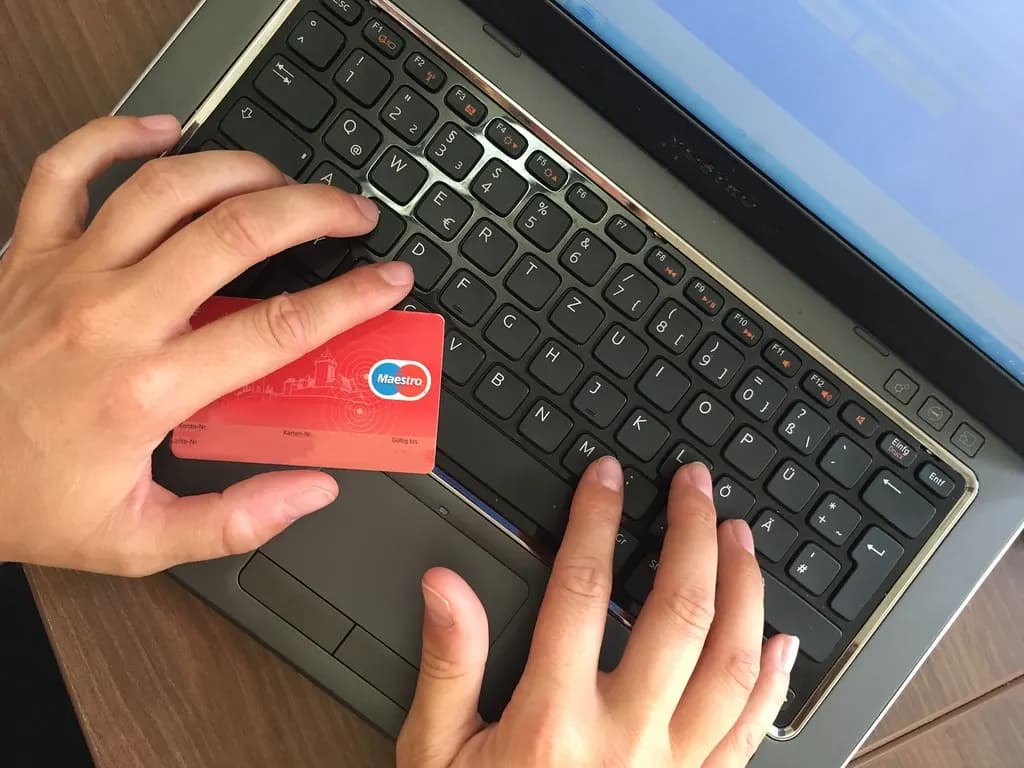
Your shop must show, clearly and before the customer is bound to pay: your business name and contact details including an email address, a description of the goods, the total price including taxes, delivery charges and how delivery works, payment methods, how to cancel and any conditions, and your VAT number if you're registered. The checkout must show the steps to place an order, let customers correct mistakes, and make it clear that clicking the final button means paying. Optional extras, such as gift wrap or insurance, need active consent, not a pre-ticked box.
After the order
Confirm the contract as soon as possible, usually by email, and no later than delivery, in a form the customer can keep. Deliver within 30 days unless you've agreed a different date. Until goods reach the customer, they're at your risk, so a parcel lost in the post is your problem, not theirs.
Cancellations and refunds
Customers buying goods online can cancel without giving a reason within 14 days of the day they receive the goods, and then have another 14 days to send them back. You must refund within 14 days of receiving the goods back, or of evidence they've been sent if that's earlier. The refund must include the standard outbound delivery cost (if the customer chose express delivery, you only refund the standard rate). You can make the customer pay return postage if your terms say so clearly; otherwise you pay it. You can deduct from the refund only if the item has been handled more than needed to inspect it, for example worn or damaged.
If you don't tell customers about the cancellation right, it extends by up to 12 months. That's a powerful reason to put it in your terms and order confirmation.
Some goods are exempt from the 14-day cancellation right: personalised or made-to-order items, perishable goods, sealed items unsealed after delivery that can't be returned for health or hygiene reasons (such as cosmetics or underwear), and sealed audio, video or software that's been opened. Digital downloads lose the right once the customer agrees to the download starting and acknowledges they'll lose it.
Faulty goods
Separately from cancellation, the Consumer Rights Act gives customers rights when goods are faulty, not as described or not fit for purpose. That applies to every item you sell, including exempt items like personalised products. Generally customers can reject faulty goods for a full refund within 30 days, and after that you get one chance to repair or replace before a refund or price reduction is due. Within six months of delivery, a fault is presumed to have existed at the start unless you can show otherwise.
A typical online order and return
Order placed
Send order confirmation with your terms and cancellation information
Within 30 days
Deliver (unless a different date is agreed)
Day of delivery
The 14 days cancellation period starts
Within 14 days of cancelling
Customer returns the goods
Within 14 days of return
Refund the price and standard delivery
Step 5: Reviews, pricing and the DMCC Act
The Digital Markets, Competition and Consumers Act 2024 strengthened consumer protection rules from 6 April 2025, and the Competition and Markets Authority can now fine businesses directly, up to 10% of worldwide turnover, without going to court first. For a small online shop the practical rules are:
- Reviews must be genuine. You must not write, commission or buy fake reviews, hide or suppress negative reviews in a misleading way, or offer incentives for positive reviews without making that clear. You must take reasonable steps to make sure reviews you publish are real.
- Show the full price. When you advertise a product with a price, the price must include any compulsory charges. Adding unavoidable fees late in the checkout ("drip pricing") is banned. Delivery charges that depend on the customer's choices must be clearly explained.
- No pressure-selling tricks. False countdown timers, fake "only 2 left" claims and misleading "was" prices are unfair practices.
A separate regime for subscription contracts under the same Act is still to start; the government has said it expects it to begin in spring 2027. If you plan a subscription box, check the latest position before launch.

Step 6: Data protection, cookies and marketing
An online shop handles personal data from the first order: names, addresses, emails, phone numbers and order histories. Under UK GDPR you need a lawful reason for each use, must keep data secure, and must tell customers what you do with it in a clear privacy notice. Use reputable platforms and payment providers so that card data never touches your own systems.
The ICO data protection fee. Most businesses that process personal data electronically must pay it unless an exemption applies. A micro business pays £52 a year and a small or medium one £78. The ICO has a short tool to check whether you're exempt.
Cookies. Cookies that are strictly necessary for the service the customer asked for, such as the shopping basket and secure checkout, don't need consent. Most others, including advertising pixels and many analytics tools, need active consent before they're set, and continuing to browse isn't consent. Your banner must make it easy to accept or reject non-essential cookies. The Data (Use and Access) Act 2025 is relaxing some of these rules in stages, and the ICO has been consulting on revised guidance, so check its latest position before relying on any new exemption.
Marketing emails. You can generally email existing customers about similar products if you gave them a clear chance to opt out when they bought and in every message. For anyone else, you need their consent. Never buy email lists.
Step 7: Product safety and special products
Online selling numbers to know (2026)
14 days
Cancellation period
From delivery
14 days
To refund
After goods come back
30 days
Default delivery deadline
Unless agreed otherwise
£90,000
VAT threshold
Rolling 12 months
Everything you sell to consumers must be safe. As the seller, and especially if you import goods yourself or sell under your own brand, you may be treated as the producer or importer with full product safety responsibilities. Some product types have specific rules:
- Toys, electrical goods and many other products need the right conformity marking (UKCA, or CE which continues to be accepted for many goods in Great Britain), technical documentation and safety warnings.
- Cosmetics, soaps and skincare need a safety assessment and a named Responsible Person, and must be notified on the UK cosmetic product notification portal before sale.
- Food and drink sold online needs food business registration with the council at least 28 days before trading, even if you only sell online, plus allergen information before purchase and on delivery.
- Alcohol needs a premises licence covering sales from the place where orders are dispatched or accepted.
- Age-restricted products such as knives, vapes and alcohol need age verification at sale and delivery.
If you're dropshipping goods sent direct from overseas suppliers, remember that UK consumer law still applies to you as the seller, delivery times can breach the 30-day default, and you're responsible for safety and returns. Products from unvetted suppliers are a common source of safety problems.
Step 8: VAT and selling abroad
You must register for VAT if your taxable turnover goes over £90,000 in any rolling 12 months, or you expect it to within the next 30 days alone. Most goods are standard-rated at 20%; some, like children's clothes and most books, are zero-rated. Check your rolling total every month. Selling mainly to consumers who can't reclaim VAT means registration effectively cuts your margin or raises prices, so plan for it. Our VAT registration guide covers the rules and voluntary registration.
Selling to the EU. Since 2021, goods sent from Great Britain to EU consumers are imports into the EU. For parcels worth up to €150, a GB seller can collect EU VAT at checkout through the EU's Import One Stop Shop, but must appoint an EU intermediary to do so. Otherwise the customer usually pays import VAT and a handling fee on delivery, which leads to refused parcels and unhappy customers. Many small shops either sell to the EU through marketplaces that handle the VAT, or limit EU shipping until they have volume.
Worked example: margin on a £30 product. Say you sell a candle for £30 on your own site and you're not VAT-registered. The candle costs you £8 to make or buy, packaging is £1.20, postage £3.40 and payment fees about £0.75. That leaves £16.65 before advertising and your time. If you spend £6 on ads per sale, profit drops to £10.65. Once you're VAT-registered, the same £30 price includes £5 of VAT, cutting profit to £5.65 unless you raise the price. Run your own numbers in the markup calculator and track ad spend with the ROAS calculator.
What it costs to start an online shop
These figures are our estimates for a small UK shop selling physical goods, based on typical published pricing for hosted platforms, domains and packaging in 2026. They aren't official; check current prices before you commit.
| Item | Estimate |
|---|---|
| Domain name (first year) | £10 – £30 |
| Hosted shop platform subscription | £0 – £40 a month (plus apps £0 – £30 a month) |
| Payment processing | About 1.5% – 3% + a small fixed fee per transaction |
| Logo, product photography and branding | £0 – £500 (DIY to freelance) |
| Packaging and first postage supplies | £50 – £300 |
| First stock | £200 – £2,000+ |
| ICO data protection fee (if required) | £52 a year |
| Insurance (public and product liability) | £60 – £300 a year |
Many shops start for a few hundred pounds by keeping stock small and using a free or low-cost plan. The startup cost calculator helps you build your own budget, and a government-backed Start Up Loan of £500 to £25,000 is available if you need funding.
Online shop launch checklist
0/9Common mistakes new online shops make
- No cancellation information. It extends the cancellation period by up to 12 months.
- Refusing refunds on non-exempt items or taking too long to refund.
- Hidden fees at checkout. Unavoidable charges must be in the headline price.
- Fake or incentivised reviews. Even a few planted reviews can lead to large fines.
- Forgetting postage and fees in pricing. Margins vanish quickly.
- Ignoring marketplace reporting. HMRC receives your sales data even if you don't register.
- Cookie banners that only offer "Accept". Non-essential cookies need real consent.
Official GOV.UK and regulator links
- Online and distance selling for businessesInformation, cancellation and delivery rules
- Accepting returns and giving refundsRefund deadlines and exemptions
- Unfair commercial practices (CMA)DMCC Act rules
- Cookies guidance (ICO)Consent rules
- Pay the data protection feeICO
- Reporting rules for digital platformsMarketplace seller reporting
- Register for Self AssessmentHMRC
- Register for VATThreshold £90,000
What to do next
Pick two or three products and test them on a marketplace or with pre-orders. Work out your true margin with the marketplace profit calculator, register with HMRC, and write your terms, privacy notice and returns process before launch day. When you're ready to grow, our VAT registration guide explains what changes at the threshold.
This is general information, not legal or tax advice — confirm on the official source or with a professional.
Frequently asked questions
No general licence is needed to run an online shop. You register the business with HMRC (or Companies House for a company) and follow consumer, data protection and product safety law. Some products need extra permissions: food needs council registration 28 days before trading, alcohol needs a premises licence, and regulated items such as cosmetics, toys and electricals have their own safety rules.
Registering as a sole trader is free. Our estimate for a small shop on a hosted platform is roughly £300 to £2,000 to launch, covering a domain, platform subscription, apps, branding, packaging and first stock, plus payment fees on each sale. Stock is usually the biggest variable. These are estimates based on typical published platform prices, not official figures.
Under the Consumer Contracts Regulations, customers can cancel most online orders within 14 days of delivery without giving a reason. You must refund within 14 days of getting the goods back (or proof of return), including standard delivery. If you don't tell customers about this right, the cancellation period extends by up to 12 months.
Only if your taxable turnover goes over £90,000 in any rolling 12 months, or you expect it to within the next 30 days. Below that you can register voluntarily. Selling to EU customers can create VAT duties in EU countries, which many small sellers handle through marketplaces or the Import One Stop Shop via an intermediary.
Yes, once it's a business. Register for Self Assessment by 5 October after the end of the tax year you started if your gross sales exceed £1,000 in a tax year, and pay tax on profit after costs such as stock, platform fees and postage. Marketplaces report sellers to HMRC once they make 30 sales or more sales or earn over €2,000 (about £1,700) a year.
Yes, in practice. UK GDPR requires you to tell customers what personal data you collect and why, which is what a privacy notice does. Non-essential cookies, such as most analytics and advertising cookies, need active consent before they're set. Most online shops also have to pay the ICO data protection fee, £52 a year for a micro business.
Sources & verification
Figures on this page were checked against the sources below when it was last reviewed on 13 October 2026. Each rate and limit is stored once with its own official source and review date, and official update channels are monitored daily so changes are picked up. How we verify
- 1.Online and distance selling for businesses — GOV.UK · accessed 13 October 2026
- 2.Online and distance selling: online selling — GOV.UK · accessed 13 October 2026
- 3.Accepting returns and giving refunds — GOV.UK · accessed 13 October 2026
- 4.What businesses need to know about unfair commercial practices — Competition and Markets Authority · accessed 13 October 2026
- 5.Cookies and similar technologies — Information Commissioner's Office · accessed 13 October 2026
- 6.Guide to the data protection fee — Information Commissioner's Office · accessed 13 October 2026
- 7.Reporting rules for digital platforms — HMRC / GOV.UK · accessed 13 October 2026
- 8.Check if you can register for the VAT Import One Stop Shop scheme — HMRC / GOV.UK · accessed 13 October 2026
- 9.Register for VAT — HMRC / GOV.UK · accessed 13 October 2026
- 10.Food business registration — GOV.UK · accessed 13 October 2026
MSMETOOLS is an independent platform and is not affiliated with any government agency, ministry or department.
Tools for this
Marketplace Profit Calculator
Profit after Amazon, Etsy, Shopify and Flipkart fees.
Payment Processing Fee Calculator
Calculate Stripe, PayPal, Square and gateway fees.
Markup Calculator
Turn cost and markup into a selling price.
Startup Cost Calculator
Estimate how much capital you need to launch.
Related guides
 How to Start a Business in the UK (2026): 10 StepsRead guide
  Starting a Food Business From Home in the UK (2026 Rules)Read guide
  How to Start a Cafe in the UK (2026): Licences, Costs & StepsRead guide
  How to Start a Cleaning Business in the UK (2026 Guide)Read guide
 Official links open the government site in a new tab.