 Starting & growing a business
How to Start a Google Business Page in 2026: Setup, Verification, Reviews and Ranking
Start a Google Business Profile in 2026: create and verify it (video included), pick categories, get reviews within Google and FTC rules and avoid suspension.
 Edited by Sumeet YadavFounder & editor, MSMETOOLS · fact-checked against official sources
Contents (10)
- 1. What a Google Business Profile is, and who can have one
- 2. How to create your Google Business Profile, step by step
- 3. How to verify your profile, including video verification
- 4. Name, categories, hours and NAP consistency
- 5. Services, products, photos and posts
- 6. Reviews: what Google allows and what the FTC rule adds
- 7. How Google ranks local results
- 8. Why profiles get suspended, and how to appeal
- 9. Your first 30 days on Google
- 10. What to do next
A Google Business Profile is the free listing that shows your hours, phone number, photos and reviews when someone searches for your business or for "near me" services on Google Search and Maps. For most local businesses it brings more calls than the website does. This guide is for owners setting one up for the first time, or fixing one that never got verified. It covers how to start a Google business page from scratch, every verification method including live video, the category and address rules that trip people up, reviews under both Google's policy and the FTC's fake-review rule, how Google says it ranks local results, and a 30-day plan. Everything was checked against Google's Help Center and FTC guidance in October 2026.
Quick answer
To start a Google business page, sign in to a Google Account, go to business.google.com/create, enter your exact business name, pick the most specific primary category, add your address (or hide it and list service areas), phone and website, then verify. Google picks the verification method for you: phone, text, email, a live video call or a postcard. Once verified, add hours, services, photos and posts, and ask every customer for an honest review.
Free to create and manage; Google says you can't pay for better local ranking
Verification review can take up to 5 business days; postcard codes expire after 30 days
No-storefront businesses must hide their address and can list up to 20 service areas
Google bans any incentive for reviews; the FTC rule adds penalties of up to $53,088 per violation for knowing violations
Local ranking rests on relevance, distance and prominence
What a Google Business Profile is, and who can have one
A Business Profile is Google's record of your business as a place. It feeds the map pin, the knowledge panel on the right side of desktop search results, the "local pack" of three businesses under a map, and the listing inside the Google Maps app. You don't build it the way you build a website. You claim and edit a record, and Google decides how and where to show it. It used to be called Google My Business, which is why people still search for a "Google business page".
Eligibility is narrower than people expect. Google's guidelines require that you either have a physical location customers can visit during stated hours, or that you travel to customers. A purely online store with no customer-facing presence doesn't qualify. Virtual offices don't qualify unless your own staff work there during business hours. A co-working desk is allowed only with permanent signage, regular customer visits and your team on site. Sales reps and lead-generation agents can't have their own profiles either.
There are three common set-ups. A storefront business (a café, salon or shop) shows its address. A service-area business (a plumber, cleaner or mobile mechanic) hides its address and lists the areas it covers. A hybrid (an auto shop that also does roadside calls) shows the address and adds a service area, which Google allows only if the location is staffed and open to customers during its listed hours. If you work from home and customers never visit, you're a service-area business, and Google requires you to hide the address.
Before you start, settle your legal and trading names. The profile name must match what customers see on your sign, website and invoices, so if you trade under a brand name, register it first. Our DBA guide explains how, and most cities also expect a local business license before you open.
How to create your Google Business Profile, step by step
The whole set-up takes about 15 minutes. Use a Google Account you'll keep, ideally one on your business email domain, because ownership sits with that account. If an employee or agency creates the profile on their own account, you'll have to request ownership later, which is slow.
Create your profile
- 1
Sign in and open the create page
Create a Business ProfileSign in to the Google Account that will own the profile and go to business.google.com/create.
- 2
Enter your exact business name
Type the real-world name on your sign and website. If Google suggests an existing listing, select it and claim it instead of creating a duplicate.
- 3
Choose the primary category
Search for the most specific category that describes what you are, such as 'Mexican restaurant' rather than 'Restaurant'. You can add more later.
- 4
Say whether customers visit you
Storefront: confirm the address or drop a pin. No storefront: choose the service-area option so the address stays hidden.
- 5
Add service areas if you travel
List up to 20 cities, ZIP codes or regions, ideally within about two hours' drive of your base.
- 6
Add phone and website
Use a number that rings at this location and a page that represents it. Avoid redirecting links and social media URLs.
- 7
Finish and verify
Pick one of the verification methods Google offers. Customers won't see the profile until verification is complete.
If Google says the business is already verified by someone else, don't create a second listing. Use the request-access option on that screen. The current owner gets a notice and has time to respond; if they don't, Google may let you verify yourself. Duplicates are one of the most common reasons for suspension, and Google warns that creating more than one profile for the same business in an area can get your account suspended.
How to verify your profile, including video verification
Verification is where most new profiles stall. You can't choose the method. Google offers one or more options based on your category, location and history, and it may ask for more than one. A brand-new service business in a category Google sees a lot of spam in, such as locksmiths or garage-door repair, should expect video.
| Method | How it works | Timing |
|---|---|---|
| Phone or text | Google calls or texts a code to the business number; enter it on the profile | Instant (an automated phone menu can't receive the call) |
| Follow the link sent to an address Google offers | Instant | |
| Live video call | Start a chat with support from the profile, then join a video call | During your location's business hours |
| Recorded video | Record and upload a continuous clip showing the location and proof you manage it | Reviewed by Google |
| Postcard | A 5-digit code mailed to your address | Most arrive within 14 days; code expires after 30 days |
| Instant | Some profiles verify automatically, for example via a site already verified in Search Console | Immediate |
For a live video call, you need to be at the business with a phone or laptop that supports video. Google asks you to show three things. First, where you are: an outside sign, the street sign or neighboring businesses. Second, the business itself: products, branded items or the tools and equipment you use with customers. Third, proof you manage it: an employee-only area, the cash register, the kitchen or stock room, non-sensitive business paperwork, or you unlocking the door with your keys.
Service-area businesses often worry about this because they have no shop. In practice you show your work vehicle, its signage, the tools you use on jobs, and business documents. Plan the route before you press record or join the call, because a recorded video should be one continuous take. Good lighting and a steady pan beat a rushed spin.

After you complete a method, Google's review can take up to five business days, and occasionally longer. If Get verified reappears on your profile, the attempt didn't succeed and you can retry or use another method. If you see Review issues after a video, Google didn't accept the footage, and the on-screen steps explain what was missing. With postcards, don't request a second code while the first is in the mail, because the new request cancels the old code. Also don't change your name, address or category before entering it, or the code won't work.
Once you're verified, add your bookkeeper, manager or agency as a manager rather than handing over your login. You stay the primary owner and can remove them at any time.
Name, categories, hours and NAP consistency
The name field causes more suspensions than anything else. Google wants the name customers see on your sign, website and stationery, and nothing more. "Smith Plumbing" is fine. "Smith Plumbing – 24/7 Emergency Plumber Austin TX" breaks the rules because it adds services, a location and a tagline. Legal suffixes such as "LLC" are allowed only if they appear on your real-world signage or invoices. Keyword-stuffed names often get reported by competitors and edited or suspended.
Categories matter more than any description you write. The primary category drives which features and attributes you get and is one of the strongest relevance signals. Google's guidance is to use as few categories as possible and to choose ones that describe what the business is, not what it sells or has. A coffee shop that sells pastries is a "Coffee shop", not also a "Bakery", unless it really runs as a bakery. You can add secondary categories for genuinely separate parts of the business, but most small businesses need two or three at most, and every extra one should be something a customer would actually search for.
Hours should be your regular customer-facing hours. Seasonal businesses can list in-season hours and mark themselves temporarily closed in the off-season. Add special hours for holidays a week or two ahead. A profile that says "open" when you're shut is one of the fastest ways to collect a one-star review.
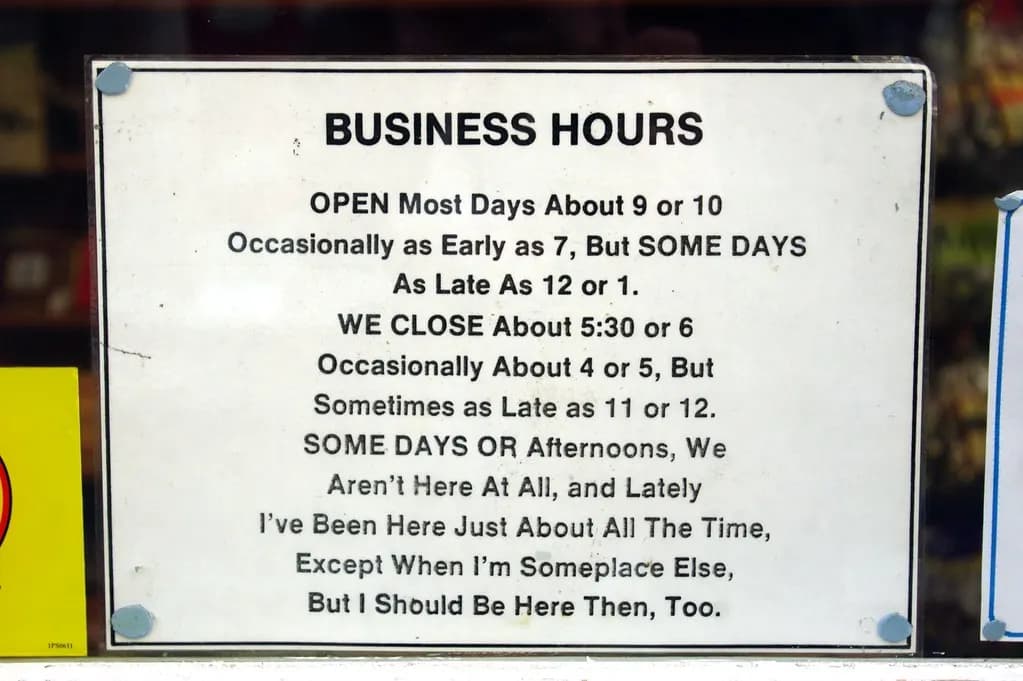
NAP consistency means your Name, Address and Phone number appear the same way everywhere: the profile, your website footer, your Facebook Page, Yelp, Apple Maps, Bing Places, industry directories and your chamber of commerce listing. Google doesn't publish a checklist for this, but its ranking help says prominence draws on information from across the web, including links and listings. Mismatches confuse that picture. Pick one format ("Suite 200" or "Ste 200", one phone number) and copy it exactly. If you move, update the profile first and then work through every other listing the same week.
Use a phone number you control, preferably a local line. Google rejects premium-rate numbers and recommends against central call-center lines for individual locations. Call-tracking numbers can work if you list your main number as an additional phone, so the old number still matches across the web.
Services, products, photos and posts
A bare profile can rank, but it rarely persuades anyone to call. Details turn a search into a visit.
Services. Service businesses get a free services list, where you can pick Google's suggested services or add custom ones with a description and price. Write them in customers' words: "water heater replacement", "drain cleaning", "gel manicure". Google auto-rejects some custom entries that break policy, such as regulated medical or financial claims. If you have several categories, group services under each.
Products. Retailers and restaurants can add products with photos, prices and a link. Google intends the product editor mainly for physical goods, and regulated items such as pharmaceuticals, unapproved supplements and financial products aren't allowed.
Photos. Add a logo, a cover photo, exterior shots that help people find the entrance, interior shots and photos of real work. Check customer uploads regularly.
Posts. You can publish three types of post. An update shares news with an optional photo, video and button. An offer needs a title and start and end dates, and Google adds a "View offer" button. An event needs a title and dates and times. Google archives posts after six months unless they carry a date range. Keep phone numbers and email addresses out of the post text: Google's content policy says posts with unverified contact details may be removed. Use the built-in "Call now" button instead.
One thing you can no longer manage is public Q&A. Google switched off the Q&A API on November 3, 2025, and in December 2025 began replacing the public questions section in Maps with an AI "Ask" feature that drafts answers from your profile details, website and reviews. In practice, that means the information in your profile and on your website now answers customers' questions for you, so keep both accurate and specific.
Reviews: what Google allows and what the FTC rule adds
Reviews are both a ranking signal and the main thing customers read. Two sets of rules apply, and they don't match. Google's policy is stricter on incentives. The FTC's rule is federal law and carries fines.
Google's review policy vs the FTC rule
| Practice | Google policy | FTC rule (16 CFR Part 465) |
|---|---|---|
Asking every customer for an honest review | Allowed | Allowed |
Discount or gift for leaving any review | Banned; reviews are removed | Allowed only if not conditioned on a positive or negative review |
Paying for 5-star reviews | Banned | Banned, even with a disclosure |
Asking only happy customers (review gating) | Banned ('selective solicitation') | Not banned by the rule itself, but the FTC says it may violate the FTC Act |
Reviews by staff, family or the owner | Removed as a conflict of interest | Allowed only with clear disclosure; still risky if it inflates the rating |
AI-written or fake reviews | Banned | Banned if you knew or should have known |
Threats or false accusations to remove reviews | Grounds for removal and account action | Banned as review suppression |
Asking every customer for an honest review
- Google policy
Allowed
- FTC rule (16 CFR Part 465)
Allowed
Discount or gift for leaving any review
- Google policy
Banned; reviews are removed
- FTC rule (16 CFR Part 465)
Allowed only if not conditioned on a positive or negative review
Paying for 5-star reviews
- Google policy
Banned
- FTC rule (16 CFR Part 465)
Banned, even with a disclosure
Asking only happy customers (review gating)
- Google policy
Banned ('selective solicitation')
- FTC rule (16 CFR Part 465)
Not banned by the rule itself, but the FTC says it may violate the FTC Act
Reviews by staff, family or the owner
- Google policy
Removed as a conflict of interest
- FTC rule (16 CFR Part 465)
Allowed only with clear disclosure; still risky if it inflates the rating
AI-written or fake reviews
- Google policy
Banned
- FTC rule (16 CFR Part 465)
Banned if you knew or should have known
Threats or false accusations to remove reviews
- Google policy
Grounds for removal and account action
- FTC rule (16 CFR Part 465)
Banned as review suppression
The FTC rule took effect on October 21, 2024. It bans buying, selling or writing fake reviews (including AI-generated ones), incentives tied to a review's sentiment, undisclosed insider reviews, company-controlled "independent" review sites, intimidation or baseless legal threats to suppress reviews, and buying fake followers or views. Courts can impose civil penalties for knowing violations. The maximum is $53,088 per violation, and that figure didn't rise in 2026: the FTC confirmed in September 2026 that the annual inflation adjustment was cancelled and 2025 levels still apply.
What works under both sets of rules is simple and repeatable. Create a review link or QR code from your profile. Ask every customer, at the moment the job is done, with the same wording. Put the QR code on receipts and invoices. Never tie it to a coupon. If a review violates Google's policy (spam, off-topic, hate speech, a review of the wrong business, or an extortion attempt demanding payment to remove it), report it from the profile rather than arguing in public.
Reply to every review. Google's guidance is to keep replies short, professional and specific, to avoid copy-pasted thank-yous, not to use replies to advertise deals, and never to reveal a reviewer's private information. For a bad review, acknowledge the problem, apologize where it's warranted and offer a phone number or email to resolve it. Under the FTC's guidance, contacting an unhappy customer to fix their issue is fine, and so is asking a now-satisfied customer if they'd like to update their review. Paying them to change it is not.
How Google ranks local results
Google publishes the principles but not the formula. Its help page says local results are based mainly on three things. Relevance is how well your profile matches what someone searched, which is why categories, services and a complete description matter. Distance is how far you are from the searcher, or from the location in the query. Prominence is how well known you are, drawing on reviews and ratings, links to your website and mentions across the web. Google also says plainly that there is no way to request or pay for a better local ranking.
What Google weighs in local results
Step 1
Relevance
categories, services, details
Step 2
Distance
searcher to business
Step 3
Prominence
reviews, links, mentions
Step 4
Local pack & Maps
no paid boost
Distance is fixed, and you can't rank a mile away from where customers are searching just by trying harder. That's why a profile can sit in the top three on your street and vanish two neighborhoods over. Relevance and prominence are where effort pays off. A complete profile with the right primary category, consistent NAP details, a steady flow of genuine reviews with replies, real photos and a fast, specific website will beat a half-finished competitor next door.
Paid placement exists, but it's separate. Local Services Ads and Google Ads location ads appear above or inside the map results and are labelled as sponsored. They don't change your organic position. If you test them, track cost per lead against what a customer is worth; our ROAS calculator helps with that maths.
Why profiles get suspended, and how to appeal
Google can remove a profile, suspend an owner or manager account, or restrict an account so it can't create or claim other profiles. The usual triggers are guideline breaches that look like spam: keywords in the business name, a P.O. box, mailbox store or virtual office used as an address, a shown address for a business that doesn't receive customers, duplicate listings for one location, sudden bursts of reviews, or editing core details repeatedly in a short time. Changing your name, address and category all at once right after verification can also trigger a fresh review.
Changes that affect your profile
Jul 31, 2024
Business Profile chat (messaging) discontinued
Oct 21, 2024
FTC Consumer Reviews and Testimonials Rule takes effect
Nov 3, 2025
Google shuts down the Q&A API
Dec 2025
Public Q&A in Maps starts giving way to an AI 'Ask' feature
Sep 15, 2026
FTC confirms civil penalty amounts stay at 2025 levels for 2026
Before appealing, fix whatever broke the rules. Then open the Business Profile appeals tool while signed in to the account that manages the profile, select it, read the stated reason and submit an appeal. Google recommends attaching evidence: a business registration, business license, tax certificate or utility bill (electricity, water, phone or internet) showing the same name and address as the profile. Once you open the evidence form, you have 60 minutes to submit it. Don't create a new profile while the appeal is pending. If the appeal is denied, you can ask for one more review, but only with new evidence.
Your first 30 days on Google
The checklist below is the order we'd work in for a new local business. It front-loads the things Google uses to understand you, then builds reviews and content steadily rather than in a burst, which looks more natural and is easier to sustain.
30-day Google Business Profile plan
0/10A note on measurement: the Performance section of your profile shows searches, calls, direction requests and website clicks. Those numbers are more useful than ranking checks, because rankings change with each searcher's location. Add a UTM tag to your website link so you can see profile traffic separately in your analytics, and ask new customers how they found you.
Common mistakes we see in the first month: verifying on a personal Gmail account that later gets lost, putting the city in the business name, choosing a broad primary category because it "covers more", uploading only stock photos, and asking for reviews in a single blast after launch. Each one either weakens the profile or puts it at risk.
What to do next
Once your profile is live, the next two assets that feed it are a Facebook business page and a simple, fast website for your business, with the same name, address and phone on both.
Official links
- Create a Business ProfileStart or claim your profile
- Verify your business on GoogleMethods, video requirements, postcard timing
- Guidelines for representing your businessName, address, hours and category rules
- Local ranking on GoogleRelevance, distance and prominence
- Suspensions and appealsAppeals tool and accepted evidence
- FTC reviews rule Q&AWhat the federal fake-review rule allows
This is general information, not legal advice. Platform policies change often, so confirm details on Google's Help Center and the FTC's site before acting.
Frequently asked questions
Yes. Creating, verifying and managing a Business Profile costs nothing, and Google says there is no way to pay for a better position in local results. You only pay if you choose to run Google Ads, including local ads that appear above the map. Be wary of anyone who charges to 'register' you with Google or promises guaranteed top rankings.
Phone, text and email codes are instant, and live video calls finish during the call. After you complete a method, Google says its review can take up to five business days. Postcards usually arrive within 14 days and the code expires after 30 days. Don't edit your name, address or category while a postcard is on its way.
Yes. Service-area businesses such as plumbers, cleaners and mobile groomers can have a profile, but they must hide their address and list the cities or ZIP codes they serve instead. Google allows up to 20 service areas and suggests staying within about two hours' drive of your base. Home-based businesses that don't receive customers fall into this group.
Not on Google. The FTC's rule allows some incentives as long as they don't depend on the review being positive, but Google's own policy bans any payment, discount or freebie in exchange for a review, and reviews obtained that way are removed. You can ask every customer for an honest review with a link or QR code.
Suspensions usually follow a guideline breach: keywords stuffed into the business name, a P.O. box or virtual office as the address, duplicate profiles for one location, or suspicious review activity. Fix the issue first, then file an appeal in the Business Profile appeals tool with evidence such as a business license or utility bill that matches your name and address.
Google says local results depend mainly on relevance, distance and prominence. You can't change distance, so focus on a complete, accurate profile with the right primary category, a steady flow of genuine reviews that you reply to, current photos, and a website and listings elsewhere that show the same name, address and phone number.
Sources & verification
Figures on this page were checked against the sources below when it was last reviewed on 9 October 2026. Each rate and limit is stored once with its own official source and review date, and official update channels are monitored daily so changes are picked up. How we verify
- 1.Add or claim your Business Profile on Google — Google Business Profile Help · accessed 9 October 2026
- 2.Verify your business on Google — Google Business Profile Help · accessed 9 October 2026
- 3.Guidelines for representing your business on Google — Google Business Profile Help · accessed 9 October 2026
- 4.Tips to improve your local ranking on Google — Google Business Profile Help · accessed 9 October 2026
- 5.About posts for Business Profiles — Google Business Profile Help · accessed 9 October 2026
- 6.Business Profile posts content policy — Google Business Profile Help · accessed 9 October 2026
- 7.Manage your services on your Business Profile — Google Business Profile Help · accessed 9 October 2026
- 8.Read and reply to reviews — Google Business Profile Help · accessed 9 October 2026
- 9.Prohibited and restricted content (Maps user contributed content policy) — Google · accessed 9 October 2026
- 10.Business Profile suspensions and appeals — Google Business Profile Help · accessed 9 October 2026
- 11.Federal Trade Commission announces final rule banning fake reviews and testimonials — Federal Trade Commission · accessed 9 October 2026
- 12.Consumer Reviews and Testimonials Rule: Questions and Answers — Federal Trade Commission · accessed 9 October 2026
- 13.Civil Penalty Inflation Adjustments (notice, FR Doc. 2026-18853) — Federal Trade Commission / Federal Register · accessed 9 October 2026
- 14.Google quietly kills Q&A for an AI button most won't use — PPC Land · accessed 9 October 2026
MSMETOOLS is an independent platform and is not affiliated with any government agency, ministry or department.
Tools for this
Business Name Generator
Find unique business names.
ROI Calculator
Calculate return on investment for your business projects.
ROAS Calculator
Measure return on ad spend and break-even ROAS.
Related guides
 How to Start a Facebook Business Page in 2026 (US Guide)Read guide
  How to Start a Web Page for Your Business in 2026Read guide
  IT Services for Small Business in 2026: Costs & ChecklistRead guide
  Franchise Meaning: How Franchises Work, FDD & Fees (2026)Read guide
 Official links open the government site in a new tab.