 Starting & growing a business
IT Services for Small Business in 2026: Managed IT, Security Basics, Pricing and How to Choose
IT services for small business in 2026: managed IT vs break-fix, CISA and FTC security basics, backups, MFA, email security, pricing and a provider checklist.
 Edited by Sumeet YadavFounder & editor, MSMETOOLS · fact-checked against official sources
Contents (7)
- 1. What IT services a small business actually needs
- 2. Managed IT vs break-fix vs IT consulting
- 3. The security baseline: what CISA and the FTC recommend
- 4. Regulated businesses: the FTC Safeguards Rule and others
- 5. What IT services cost: pricing models and estimates
- 6. How to choose an IT provider
- 7. What to do next
Most small businesses don't have an IT department. They have an owner who resets the Wi-Fi, a nephew who set up the email, and a laptop nobody dares restart. That works until a hacked mailbox sends fake invoices to customers, or ransomware locks the booking system on a Saturday. This guide is for owners deciding what IT services for small business they actually need: whether to pay for managed IT, keep a break-fix technician on call, or bring in business IT consulting services for a project. It sets out the security baseline the federal government recommends, what those services cost (labelled as estimates), and a checklist for choosing a provider. It was checked against CISA, FTC and FBI sources in October 2026.
Quick answer
Most small businesses with five or more staff are best served by a managed IT service provider (MSP) on a fixed monthly fee that covers help desk, updates, monitoring, backups and security, with a consultant for one-off projects. Smaller or very simple businesses can use break-fix support, as long as someone owns the security basics: multi-factor authentication, automatic updates, tested backups and email authentication.
Managed IT: estimated $100–$200 per user per month for core support; more for security-heavy plans (vendor-reported 2026 ranges)
CISA's top priorities: MFA everywhere, prompt patching, tested backups, no admin rights for daily use
Set up SPF, DKIM and DMARC so criminals can't easily spoof your email domain
Business email compromise cost US victims $3.05 billion in 2025, per the FBI
Tax preparers, lenders and other non-bank financial businesses must follow the FTC Safeguards Rule
What IT services a small business actually needs
Strip away the jargon and a small business needs five things from IT. Accounts and access: email, file storage and business apps, with the right people able to use them and leavers removed promptly. Devices: laptops, phones, printers and point-of-sale terminals that are updated, encrypted and replaced on a schedule. Network: reliable internet, a secure router and Wi-Fi, and a separate guest network. Data protection: backups that can actually be restored. Security and support: someone watching for problems and someone to call when things break.
Who delivers those depends on size. A two-person firm running entirely on cloud services can manage most of it with good habits and an occasional technician. A 15-person office with a server, shared printers, remote staff and customer data needs someone accountable for it every week. That's the gap managed IT and IT consulting fill.
Before you shop, write down what you have: number of users, devices, the main apps you use, where files live, who has admin passwords, and what would stop the business if it failed for a day. That inventory alone makes every quote easier to compare, and many businesses discover forgotten accounts, old staff still with access, or a single admin password known only to one person.
Managed IT vs break-fix vs IT consulting
There are three ways to buy IT help, and many businesses end up using two of them.
Ways to buy IT support
| Break-fix | Managed IT (MSP) | IT consulting | |
|---|---|---|---|
How you pay | Hourly or per job, when something breaks | Fixed monthly fee, usually per user or per device | Project fee or hourly for a defined scope |
What's covered | The fault you called about | Help desk, monitoring, updates, backups, security tools, vendor management | Planning, migrations, compliance, new office or system set-up |
Incentive | Provider earns more when things break | Provider earns more when things don't break | Deliver the project and hand over |
Best for | Very small or very simple set-ups | 5+ users, customer data, little in-house IT | One-off changes and second opinions |
Main risk | No one owns security or prevention | Lock-in, vague scope, provider access becomes a target | Work left undocumented or not maintained |
How you pay
- Break-fix
Hourly or per job, when something breaks
- Managed IT (MSP)
Fixed monthly fee, usually per user or per device
- IT consulting
Project fee or hourly for a defined scope
What's covered
- Break-fix
The fault you called about
- Managed IT (MSP)
Help desk, monitoring, updates, backups, security tools, vendor management
- IT consulting
Planning, migrations, compliance, new office or system set-up
Incentive
- Break-fix
Provider earns more when things break
- Managed IT (MSP)
Provider earns more when things don't break
- IT consulting
Deliver the project and hand over
Best for
- Break-fix
Very small or very simple set-ups
- Managed IT (MSP)
5+ users, customer data, little in-house IT
- IT consulting
One-off changes and second opinions
Main risk
- Break-fix
No one owns security or prevention
- Managed IT (MSP)
Lock-in, vague scope, provider access becomes a target
- IT consulting
Work left undocumented or not maintained
Break-fix is how most small businesses start. It's cheap in quiet months and you only pay for what you use. The weakness is structural: nobody is responsible for keeping things updated, backed up and secure between calls, and the technician has no reason to prevent the next problem. If you stay on break-fix, give one person in the business ownership of the security checklist later in this guide.
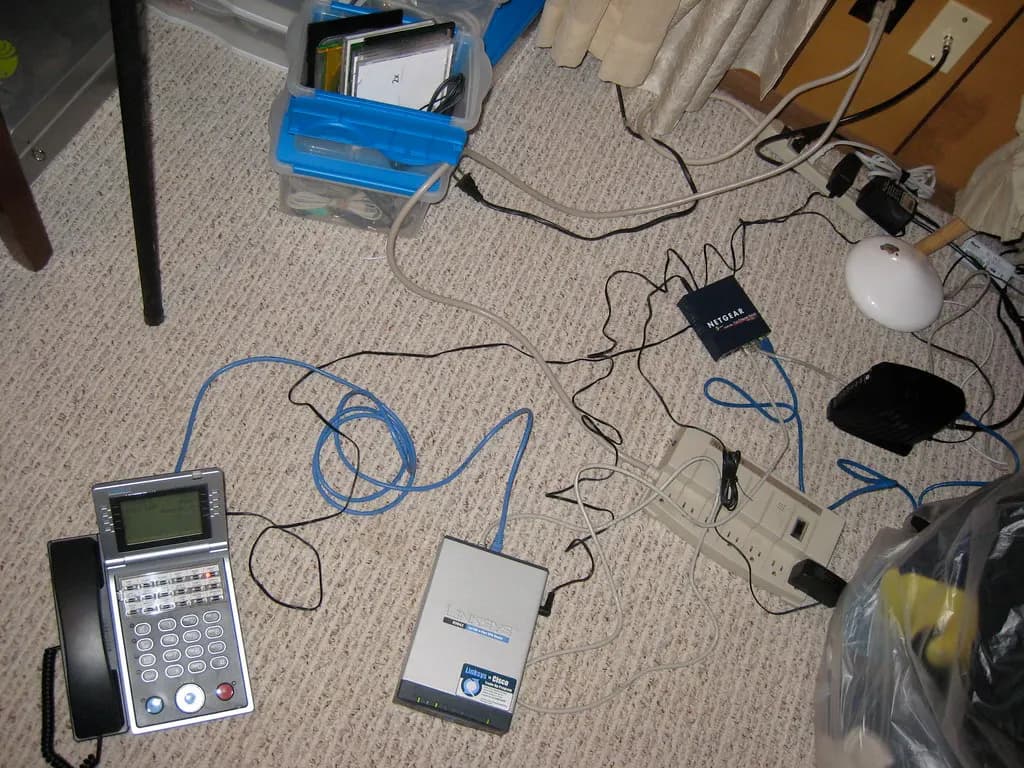
Managed IT turns IT into a predictable operating cost. A managed service provider (MSP) installs monitoring and management tools on your devices, applies updates, runs backups, handles help-desk tickets and usually manages your Microsoft 365 or Google Workspace accounts. Good MSPs also act as your outsourced IT manager, planning replacements and budgets. The weaknesses are lock-in and scope: some agreements exclude things you assumed were covered, such as on-site visits, new user set-ups or projects.
Business IT consulting services are project work: moving email and files to the cloud, setting up a new office network, preparing for a compliance requirement, picking a new practice-management system, or auditing an MSP. A consultant is also useful as an independent second opinion when you're unsure whether your current provider is doing a good job. If you're thinking of offering these services yourself, our guide on how to start a consulting business covers the business side.
The security baseline: what CISA and the FTC recommend
The federal government's guidance for small businesses is practical and free. CISA, the Cybersecurity and Infrastructure Security Agency, organizes its advice by role, starting with the owner. Its point is that security culture can't be delegated: the owner sets goals such as MFA adoption, patching and backup coverage, names someone to run the security program, approves an incident response plan, and personally chases staff who haven't turned on MFA. The FTC's Cybersecurity for Small Business pages cover the same ground with checklists for staff.
Security baseline (from CISA and FTC guidance)
0/10Multi-factor authentication
If you do only one thing, do this. Multi-factor authentication (MFA) means a stolen password alone isn't enough to get in. CISA's guidance is that any MFA is better than none, but that FIDO-based methods, such as hardware security keys and passkeys, are the only widely available phishing-resistant option. Text-message codes and push approvals can be phished or spammed until a tired employee taps "approve". Start with email and administrator accounts, then banking, payroll, your website and social media. CISA also stresses checking for gaps: new hires who never enrolled and staff who changed phones.

Updates and admin rights
Most successful attacks use known flaws that a patch already fixes. Turn on automatic updates for operating systems, browsers and apps, and don't forget routers, firewalls and printers. CISA recommends prioritizing anything on its Known Exploited Vulnerabilities catalog, which lists flaws criminals are actively using. Take administrator rights away from everyday accounts, including the owner's: if a user can't install software, neither can most malware that user clicks on. Keep a separate admin account, with MFA, for the rare times you need it.
Backups that actually restore
A backup you've never restored is a hope, not a plan. CISA asks the IT lead to test both partial and full restores and to write down how a restore works. The FTC's ransomware advice adds the other key point: keep backups that aren't connected to your network, because ransomware encrypts everything it can reach, including attached backup drives. Cloud services such as Microsoft 365 and Google Workspace keep your data available, but they're not a complete backup of everything you might delete or have encrypted; a separate backup of mail and files is standard practice. Decide how much data you could afford to lose (an hour, a day) and how quickly you need to be running again, and buy accordingly.
Remote work, devices and cyber insurance
Staff working from home or on the road widen the attack surface. The FTC suggests a VPN or secure remote-access tool for reaching office systems, full-disk encryption on every laptop, and turning off automatic connections to public Wi-Fi. Keep a simple device register: who has which laptop and phone, when it was bought, and whether it's encrypted and updated. When someone leaves, recover the device and remove their access the same day, including shared passwords they knew.
Consider cyber insurance once the basics are in place, because many insurers now ask about MFA, backups and endpoint protection before quoting. The FTC's advice is to check that a policy covers both first-party costs, such as forensic investigation, data recovery and customer notification, and third-party claims from customers or partners. Ask your agent about terms like "duty to defend" and whether social-engineering losses from fake payment instructions are covered, since those are often excluded or capped. A managed IT provider can usually supply the evidence an insurer's questionnaire asks for.
Email security
Email is where most small-business losses start. The FBI's Internet Crime Complaint Center received 1,008,597 complaints in 2025 with $20.877 billion in reported losses, and business email compromise, where criminals hijack or imitate a business mailbox to redirect payments, accounted for $3.05 billion of that. The classic scheme is a supplier's "new bank details" email or a fake invoice sent from a hacked account.
Reported cybercrime in 2025 (FBI IC3)
1,008,597
Complaints to IC3
Almost 3,000 a day
$20.877B
Reported losses
Up 26% on 2024
$3.05B
Business email compromise losses
Second-largest fraud category
Three DNS records make your domain much harder to spoof. SPF lists the servers allowed to send your email. DKIM signs each message so receivers can check it wasn't altered. DMARC ties both to the visible "From" address and tells receiving servers what to do with failures. The FTC recommends choosing an email or hosting provider that can set these up for you. Pair them with a simple rule for staff: any change to payment details is confirmed by phone, using a number you already have, never one in the email.
Regulated businesses: the FTC Safeguards Rule and others
Some small businesses have legal security obligations, not just good practice. The FTC Safeguards Rule applies to non-bank "financial institutions", a term the FTC defines broadly by activity. It covers businesses such as mortgage lenders and brokers, payday lenders, collection agencies, tax preparation firms and investment advisers not registered with the SEC. Coverage depends on what you do, not what you call yourself, so a business that arranges customer financing should check. Covered businesses need a written information security program with a designated "qualified individual", a risk assessment, encryption of customer information, MFA for anyone accessing it, and a written incident response plan.
Since May 2024, a covered business must notify the FTC as soon as possible, and within 30 days of discovery, when unencrypted information about at least 500 consumers is acquired without authorization. Businesses holding customer information on fewer than 5,000 consumers are exempt from some of the Rule's requirements, but not from the Rule as a whole. If you're a tax preparer, broker or lender, make sure your IT provider understands this rule and can document what they do.
Health care providers and their vendors face HIPAA's security requirements, businesses that take card payments must meet the card industry's PCI DSS standard, and every state has its own data breach notification law. Federal contractors handling certain defense information need to meet the Defense Department's cybersecurity requirements. If any of these apply to you, add compliance experience to your provider requirements; it usually raises the price.
What IT services cost: pricing models and estimates
There's no regulated price for IT support, so treat every figure here as an estimate. Managed IT is usually priced per user per month (one fee covers each person's laptop, phone and accounts) or per device per month, with per-user now the more common model. Some providers sell tiers, from monitoring-only to all-inclusive. Break-fix is billed by the hour or job, often with a minimum charge and higher rates after hours. Consulting is quoted per project or by the hour.
| Model | Typical price basis | Estimated range (2026) | Basis of estimate |
|---|---|---|---|
| Core managed IT | Per user per month | About $100–$200 | Published MSP price guides |
| Security-focused managed IT (adds EDR/MDR, backup validation, identity controls) | Per user per month | About $200–$400 | Published MSP price guides |
| Onboarding / stabilization | One-off | Quoted separately | Commonly billed outside the monthly fee |
| Compliance add-ons (HIPAA, PCI, Safeguards) | Per user or project | Varies; adds to base fee | Depends on scope and documentation |
| Break-fix | Per hour or per job | Varies widely by city | Local technician rates |
| IT consulting | Per project or hour | Varies by scope | Fixed-scope quotes recommended |
One vendor-run survey of 412 MSPs and buyers in the US and Canada put the average for fully managed support at about $145 per user per month in 2026, but its methodology isn't published, so use it only as a rough reference. The bigger driver of cost is scope: what's included, response times, after-hours cover, and how many tools the provider licenses for you.
Here's a worked example using those estimates. A 12-person accounting office paying $165 per user for core managed IT spends about $1,980 a month, or $23,760 a year, before projects and hardware. Compare that with the cost of a single bad week: lost billable hours for 12 people, a ransomware recovery, or one redirected client payment. Use our budget planner to fit IT into your monthly overheads, and remember that hardware replacement (laptops every three to five years is a common cycle) is usually separate.
How to choose an IT provider
Treat this like hiring a key employee, because the provider will hold the keys to your business. Get at least two quotes against the same inventory and requirements, and compare what's included line by line rather than headline price.
Choosing a managed IT provider or consultant
- 1
Write a one-page requirements sheet
Users, devices, main apps, where data lives, compliance rules that apply, office hours and after-hours needs.
- 2
Shortlist providers that serve businesses your size
Ask for two references from similar businesses nearby, ideally in your industry.
- 3
Compare scope, not just price
What's in the monthly fee, what's billed extra (projects, on-site visits, new users), and response and resolution times.
- 4
Test their own security
Ask how they secure their remote-management tools and staff accounts, whether MFA is enforced everywhere, and how they'd tell you about an incident on their side.
- 5
Confirm ownership and exit terms
You own your domain, admin accounts, licenses and documentation. Ask how you leave, what notice is needed and what they hand over.
- 6
Start with an assessment
A paid onboarding assessment shows how they work and gives you a documented baseline even if you don't continue.
The FTC's vendor-security advice applies directly here: put security requirements in the contract, verify rather than take the provider's word for it, limit their access to what they need, and require MFA. MSPs are attractive targets because one break-in can reach many clients, so how a provider protects its own tools matters as much as what it does for you.
Watch for warning signs: a provider that wants to keep the only admin passwords, can't explain its backup testing, won't put response times in writing, or has an automatic multi-year renewal with steep exit fees. And be wary of unsolicited "tech support" calls or pop-ups claiming your computer is infected; the FTC's advice is to hang up, never grant remote access, and call your own provider directly.
What to do next
Start with the free fixes this week: MFA on email and admin accounts, automatic updates, and a test restore of your backups. Then decide whether you need ongoing managed IT or a one-off consulting project. The same accounts protect your website, Google Business Profile and social pages, so include them in the plan.
Official links
- CISA: Cyber Guidance for Small BusinessesRole-based actions for owners and IT leads
- FTC: Cybersecurity for Small BusinessBasics, ransomware, phishing, vendor security, email authentication
- FTC Safeguards Rule guideFor tax preparers, lenders and other non-bank financial businesses
- FBI IC3: report a cybercrimeReport business email compromise and ransomware
- CISA Known Exploited VulnerabilitiesPatch these first
This is general information, not legal or technical advice — confirm on the official source or with a professional.
Frequently asked questions
Published 2026 price guides from managed service providers put core managed IT at roughly $100 to $200 per user per month, and security-heavy plans at $200 to $400. These are vendor-reported estimates, not regulated prices. Onboarding is often billed separately, and compliance work for regulated industries usually costs extra. Always compare exactly what each quote includes.
Break-fix means you call a technician when something breaks and pay by the hour or job. Managed IT means a provider looks after your systems for a fixed monthly fee, including monitoring, updates, backups, security and help desk. Break-fix is cheaper while nothing goes wrong; managed IT aims to prevent problems and makes costs predictable.
Following CISA and FTC guidance, the baseline is multi-factor authentication on email and every admin account, automatic software updates, backups that are tested and kept offline or immutable, encrypted laptops, no admin rights on everyday user accounts, staff training on phishing, SPF, DKIM and DMARC on your email domain, and a written incident response plan.
For a one-off project, yes, when you're moving email to the cloud, setting up a new office, meeting a compliance rule or choosing software. A good consultant scopes the work, documents it and hands it over. Make sure you receive admin credentials and documentation at the end, so you're not tied to the consultant for every change.
Most don't face a general federal cybersecurity law, but some do. The FTC Safeguards Rule covers non-bank financial businesses such as tax preparers, mortgage brokers and payday lenders, requiring a written security program, MFA and encryption, plus FTC notice within 30 days of a breach affecting 500 or more consumers. Health care providers face HIPAA, and every state has breach notification laws.
Ask what's included in the monthly fee and what's billed extra, their response and resolution times, how they back up and test restores, how they secure their own remote-access tools, whether they use MFA everywhere, who owns your admin accounts and documentation, how you can leave the contract, and for two references from businesses your size.
Sources & verification
Figures on this page were checked against the sources below when it was last reviewed on 9 October 2026. Each rate and limit is stored once with its own official source and review date, and official update channels are monitored daily so changes are picked up. How we verify
- 1.Cyber Guidance for Small Businesses — Cybersecurity and Infrastructure Security Agency (CISA) · accessed 9 October 2026
- 2.Cybersecurity for Small Business — Federal Trade Commission · accessed 9 October 2026
- 3.FTC Safeguards Rule: What Your Business Needs to Know — Federal Trade Commission · accessed 9 October 2026
- 4.2025 Internet Crime Report — FBI Internet Crime Complaint Center (IC3) · accessed 9 October 2026
- 5.Managed IT services cost: pricing guide 2026 — Datapath (managed service provider) · accessed 9 October 2026
- 6.Managed IT support pricing — ARPHost (vendor) · accessed 9 October 2026
MSMETOOLS is an independent platform and is not affiliated with any government agency, ministry or department.
Tools for this
Budget Planner
Plan and track your business budget easily.
ROI Calculator
Calculate return on investment for your business projects.
Startup Cost Calculator
Estimate how much capital you need to launch.
Related guides
 How to Start a Consulting Business in 2026 (US Guide)Read guide
  How to Start an HR Consulting Business in 2026 (US Guide)Read guide
  How to Start a Facebook Business Page in 2026 (US Guide)Read guide
  How to Start a Google Business Page in 2026 (Step by Step)Read guide
 Official links open the government site in a new tab.