 Starting & growing a business
How to Sell on Amazon in 2026: Plans, Fees, FBA and Your First Sale
How to sell on Amazon in 2026: Individual vs Professional plan, referral fees by category, new FBA fees and surcharge, seller verification and a profit example.
 Edited by Sumeet YadavFounder & editor, MSMETOOLS · fact-checked against official sources
Contents (10)
- 1. Individual vs Professional: which Amazon seller plan to choose
- 2. Amazon seller fees: referral fees by category
- 3. FBA vs FBM: fulfillment fees and what changed in 2026
- 4. How to register as an Amazon seller
- 5. What to sell on Amazon: product research basics
- 6. Creating listings that convert
- 7. Sales tax, 1099-K and income tax for Amazon sellers
- 8. Worked example: profit on a $25 FBA product
- 9. Mistakes new Amazon sellers make
- 10. What to do next
Amazon is the fastest way for a small US business to put a product in front of hundreds of millions of shoppers, but the fees decide whether you make money. This guide shows how to sell on Amazon step by step: which plan to pick, what every fee costs after the January and April 2026 changes, how registration and identity checks work, and what Amazon handles for you on sales tax. Every fee below was checked against Amazon's own pages and seller notices in October 2026, with a worked profit example at the end.
Quick answer
To sell on Amazon, create a seller account at sell.amazon.com, choose the Individual or Professional plan, verify your identity, then list products and ship orders yourself (FBM) or send stock to Amazon's warehouses (FBA). Your costs are the plan fee, a referral fee on each sale and, with FBA, fulfillment and storage fees.
Plans: Individual $0.99 per item sold, or Professional $39.99 a month
Referral fee: 15% in most categories, minimum $0.30 per item
FBA fees rose on January 15, 2026, plus a 3.5% surcharge since April 17, 2026
Amazon collects and remits sales tax on your orders in every state with a sales tax
1099-K only above $20,000 and more than 200 transactions
Individual vs Professional: which Amazon seller plan to choose
Amazon has two selling plans, and the choice is mostly about volume. The Individual plan charges per item sold with no monthly fee; the Professional plan charges a flat monthly subscription with no per-item plan fee. Both pay the same referral and fulfillment fees.
The break-even point is simple arithmetic: $39.99 a month divided by $0.99 per item sold is about 40 items. Sell more than 40 units a month and Professional is cheaper. But volume isn't the only reason to upgrade, because several tools you'll want are Professional-only.
Amazon selling plans compared (2026)
| Individual | Professional | |
|---|---|---|
Plan fee | $0.99 per item sold | $39.99 a month |
Cheaper when you sell | Fewer than ~40 items a month | More than ~40 items a month |
Amazon Ads (Sponsored Products) | No | Yes |
Bulk listing and inventory files, APIs | No | Yes |
Automated pricing, B2B and global selling | No | Yes |
Referral and FBA fees | Same | Same |
Plan fee
- Individual
$0.99 per item sold
- Professional
$39.99 a month
Cheaper when you sell
- Individual
Fewer than ~40 items a month
- Professional
More than ~40 items a month
Amazon Ads (Sponsored Products)
- Individual
No
- Professional
Yes
Bulk listing and inventory files, APIs
- Individual
No
- Professional
Yes
Automated pricing, B2B and global selling
- Individual
No
- Professional
Yes
Referral and FBA fees
- Individual
Same
- Professional
Same
Start on Individual if you're testing a few items. If you plan to launch your own product, go straight to Professional: a new listing with no reviews almost always needs Sponsored Products ads to get its first sales, and ads aren't available on Individual. You can switch plans in Seller Central at any time.
Amazon seller fees: referral fees by category
The referral fee is Amazon's commission. It's a percentage of the total sale price the customer pays (item price plus any shipping or gift-wrap charge), or a minimum per item, whichever is greater. Most categories charge 15%, but some are tiered by price. Amazon confirmed referral fees did not change for 2026.
| Category | Referral fee | Minimum |
|---|---|---|
| Most categories ("Everything else", Home & Kitchen) | 15% | $0.30 |
| Computers, full-size appliances | 8% | $0.30 |
| Automotive & Powersports | 12% | $0.30 |
| Baby; Beauty, Health & Personal Care | 8% up to $10, 15% above $10 | $0.30 |
| Clothing & Accessories | 5% up to $15, 10% from $15 to $20, 17% above $20 | $0.30 |
| Jewelry | 20% up to $250, 5% on the portion above $250 | $0.30 |
| Watches | 16% up to $1,500, 3% above | $0.30 |
| Books, music, video, DVD (media) | 15% + $1.80 closing fee | None |
| Amazon device accessories | 45% | $0.30 |
Source: Amazon's published US fee page, checked October 2026. The tiers matter for pricing. A $14.99 T-shirt pays 5%, but the same shirt at $20.99 pays 17% on the whole price, so a dollar's price rise can cost you more than a dollar. Run any price near a tier boundary through the marketplace profit calculator before you set it.
If you sell books, music or DVDs, the $1.80 closing fee is charged on every unit on top of the 15% referral fee. That's why low-priced used books rarely make money unless you buy them for pennies.
FBA vs FBM: fulfillment fees and what changed in 2026
You have two ways to get orders to customers:
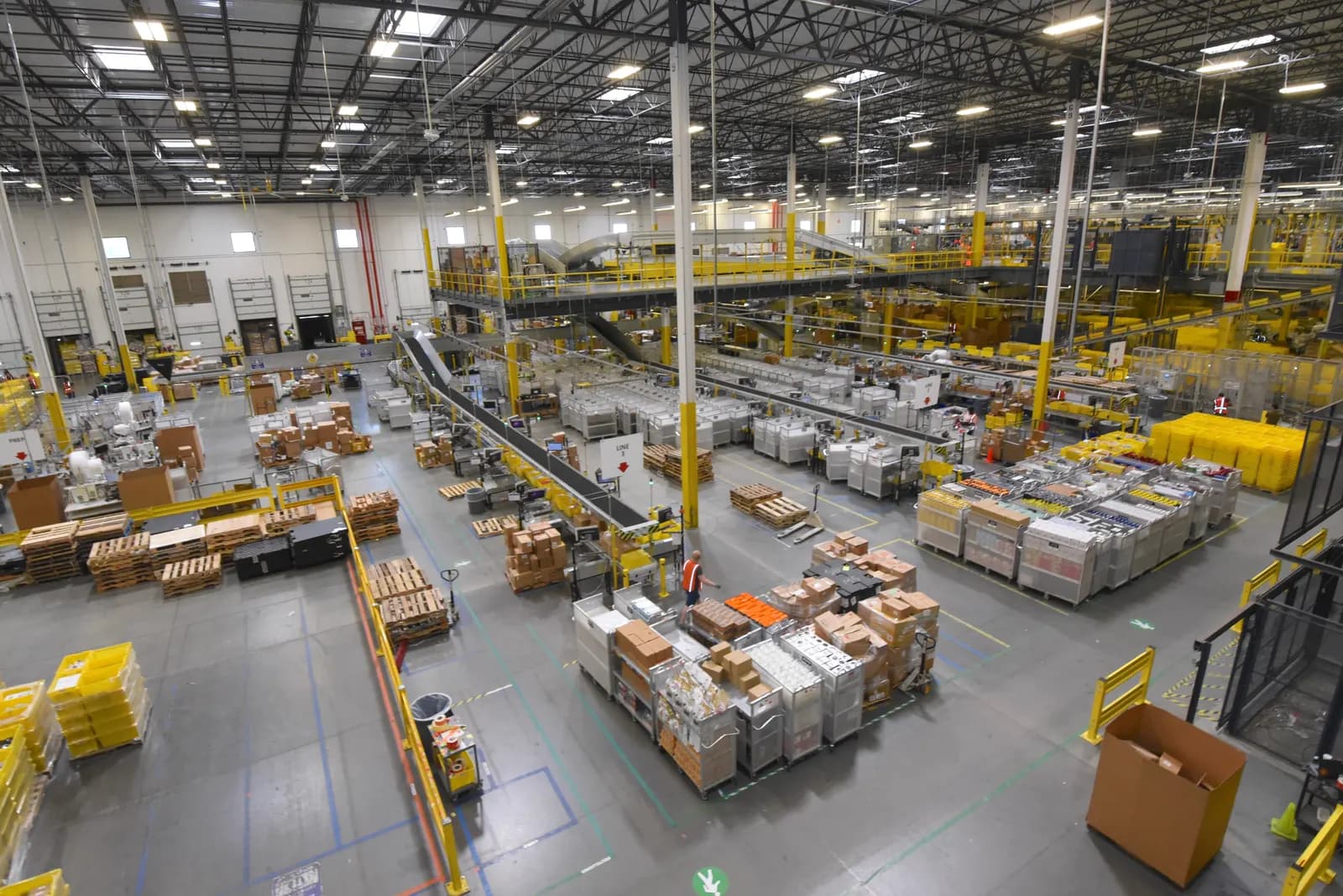
- Fulfillment by Amazon (FBA): you ship inventory in bulk to Amazon's fulfillment centers. Amazon stores it, picks and packs each order, ships it with Prime delivery promises, and handles customer service and returns. You pay a per-unit fulfillment fee and monthly storage.
- Fulfilled by Merchant (FBM): you store the stock and ship each order yourself, buying labels through Amazon or your carrier. There's no FBA fee, but you carry the postage, packaging, labor and the delivery-speed metrics.
FBA's fulfillment fee depends on the product's size tier, shipping weight and price band. Amazon raised FBA fees on January 15, 2026 by an average of $0.08 per unit, with no change to referral fees. Amazon also moved many sellers to payouts at delivery date plus 7 days from March 12, 2026. Then from April 17, 2026 it added a 3.5% fuel and logistics surcharge to every FBA fulfillment fee (and to Multi-Channel Fulfillment from May 2). Amazon calls it temporary but says it stays "until further notice".
Typical FBA costs, items priced $10–$50 (2026)
$3.54
Small standard, 2–4 oz
Per unit, incl. 3.5% surcharge
$4.76
Large standard, 12–16 oz
Per unit, incl. 3.5% surcharge
$6.02
Large standard, 1.75–2 lb
Per unit, incl. 3.5% surcharge
$0.78 per cubic foot
Storage Jan–Sep
Rises to $2.40 per cubic foot Oct–Dec
Items priced under $10 get lower "low-price FBA" rates, and items over $50 pay slightly more. Beyond the fulfillment fee, budget for these FBA costs:
- Monthly storage per cubic foot, roughly three times higher from October to December.
- Inbound placement fees if you send everything to one warehouse instead of letting Amazon split your shipment.
- Low-inventory-level fees if you keep too little stock relative to sales, and aged-inventory surcharges if units sit unsold for many months.
- Returns processing on categories with high return rates, plus removal or disposal fees for stock you pull out.
- A holiday peak fulfillment fee from October 15, 2026 to January 14, 2027.
Amazon also stopped offering FBA prep and labeling services in the US from January 1, 2026, so you or a third-party prep center must label and bag units before they ship in. Check the exact fee for your product in the Revenue Calculator inside Seller Central before you order stock.
When FBM beats FBA
FBM usually wins for heavy or oversized items, slow sellers that would rack up storage, handmade or made-to-order goods, and products you already ship from a store or warehouse. FBA usually wins for small, light, fast-selling items where Prime eligibility lifts conversion. Many sellers run both: FBA for best-sellers, FBM for the long tail.
How to register as an Amazon seller
Registration takes a few hours if your documents are ready. Amazon says identity verification then usually takes three business days or less. Use your legal name and details exactly as they appear on your ID and bank records, because mismatches are the most common reason accounts get stuck.
Amazon seller registration step by step
- 1
Gather your documents
Government photo ID (passport or driver's license), proof of residential address dated within the last 180 days, a bank account and routing number, a credit card that can be charged internationally, a phone number and your SSN or business EIN.
Tip: Selling as an LLC? Form it and get the EIN first, so the account is in the business's name from day one.
How to get a free EIN - 2
Sign up and enter business information
Start at sell.amazon.com. Choose your business location and type (individual or a business entity), then enter the legal name, registration number and registered address.
- 3
Add seller and billing details
Enter your personal details as shown on your ID, then the bank account for payouts and the card for any fees your balance doesn't cover.
- 4
Describe your store and products
Pick a store display name, say whether you have UPC barcodes for your products and whether you own or manufacture a brand.
- 5
Complete identity verification
Upload your ID and address proof, then either photograph yourself holding the ID or book a short video call with an Amazon associate.
Tip: Join the video call from a quiet room with the original documents in hand, not copies.
- 6
Complete the tax interview and choose a plan
Seller Central asks for a W-9 (SSN or EIN) so Amazon can issue a 1099-K when required. Confirm the Individual or Professional plan.
Once you cross the INFORM Consumers Act threshold of 200+ sales and $5,000+ in 12 months as a "high-volume" seller, federal law requires Amazon to collect and verify your bank, tax ID and contact information. Sellers with $20,000 or more in annual sales also have their name and address disclosed to buyers. Keep these details current: Amazon can suspend payouts if you don't respond within the deadline.
What to sell on Amazon: product research basics
Most failed Amazon businesses fail on product choice, not paperwork. You have three common models: retail or online arbitrage (buying discounted branded goods to resell), wholesale (buying from a brand or authorized distributor), and private label (your own brand made by a manufacturer). Arbitrage needs the least cash; private label has the best margins but the most risk.
What a good first product usually looks like:
- Sells for $20–$60, so fees don't eat the margin and shoppers buy without much research
- Fits the small or large standard size tier, ideally under 2 lb shipped
- Several listings in the niche sell steadily, but the top results don't all have thousands of reviews
- Not in a gated or restricted category you can't get approved for (some grocery, topicals, toys at Q4, brand-restricted items)
- No obvious patent, trademark or safety-certification issues (children's products, electrical goods, supplements)
- Landed cost (product + freight + duties + prep) is 25–35% of your planned price or lower
- You can photograph it well and differentiate it, even with a better bundle or instructions
If you resell branded goods, keep invoices from the brand or an authorized distributor; Amazon asks for them when a brand complains, and retail receipts often don't satisfy those checks.
Creating listings that convert
Each product on Amazon has one detail page, identified by an ASIN. If the item already exists, you add your offer to the existing page and compete for the Buy Box on price, stock and delivery speed. If it's new, you create the page, which normally needs a GTIN such as a UPC barcode bought from GS1 US, unless Amazon grants an exemption for your brand.
Good listings share four traits: a clear title with the key search terms first, a pure-white-background main image filling most of the frame, five bullet points that answer buyers' objections, and backend search terms that cover synonyms. Brand owners who register a trademark can enroll in Amazon Brand Registry, which unlocks A+ content, brand stores and stronger protection against hijackers.

For a new private-label product, budget for launch ads and a few weeks of thin margin while reviews build. Never offer free products or refunds in exchange for reviews; that breaks Amazon policy and the FTC's rule on fake reviews.
Sales tax, 1099-K and income tax for Amazon sellers
Sales tax. Every US state with a sales tax now has a marketplace facilitator law, so Amazon calculates, collects and remits sales tax on orders shipped to those states. You don't remit that tax again. Texas, for example, says remote sellers who sell only through a marketplace that collects the tax don't need a Texas permit, but must keep sales records for four years. Rules differ by state: if you have a physical presence (your home office, or FBA stock in a warehouse in your state) you may still need to register and file returns showing the marketplace sales as exempt or deductible. Sales through your own website are entirely your job; our sales tax calculator gives state and local rates.
Form 1099-K. Amazon must send you a 1099-K only if your gross payments exceed $20,000 and more than 200 transactions in a calendar year. The One, Big, Beautiful Bill Act reinstated that threshold retroactively, so the $600 limit that had been scheduled never took effect. The form reports gross sales, not profit, so your fees and refunds are deductions you claim yourself.
Income tax. All Amazon profit is taxable whether or not you receive a form. Sole proprietors and single-member LLCs report it on Schedule C and pay self-employment tax of 15.3% on net earnings. Track cost of goods, Amazon fees, shipping, software and mileage; our guide to small business tax deductions covers what you can claim.
Worked example: profit on a $25 FBA product
Say you sell a silicone kitchen utensil set at $25.00. It ships at 14 oz in the large standard tier, you pay $7.00 landed cost per unit, and you sell 300 units a month on the Professional plan.
| Line | Per unit |
|---|---|
| Sale price | $25.00 |
| Referral fee (15%) | −$3.75 |
| FBA fulfillment fee (large standard 12–16 oz, incl. surcharge) | −$4.76 |
| Storage (about 0.1 cu ft held one month at $0.78 per cubic foot) | −$0.08 |
| Professional plan ($39.99 ÷ 300 units) | −$0.13 |
| Product, freight and prep (landed cost) | −$7.00 |
| Advertising (PPC spend per unit sold) | −$2.50 |
| Profit before income tax | $6.78 (27% margin) |
That's about $2,034 a month before income tax. Amazon's fees take $8.72 of each $25 sale, more than the product itself. Cut ad spend to $1.50 per unit as reviews build and margin climbs to 31%.
The same item shipped FBM might cost $6–7 a unit in postage, packaging and your time, so FBA comes out ahead here. For a 5 lb item the answer often flips.
Try it — profit on your Amazon product
(The calculator's fulfillment field includes FBA fee, storage and plan cost per unit: $4.76 + $0.08 + $0.13.)
Mistakes new Amazon sellers make
- Pricing from the sticker, not the fees. Work out referral, FBA and ad cost per unit before you order stock.
- Ordering too much inventory. Storage, aged-inventory surcharges and the October–December storage jump punish slow sellers. Order 60–90 days of stock at a time.
- Ignoring the size tier. A package that's half an inch too long can move into a more expensive tier. Measure your packed unit.
- Listing restricted or infringing products. Check category approval and IP before buying stock; violations can freeze your account and your balance.
- Mixing personal and business money. Use a separate bank account and consider an LLC once sales are steady. Selling from home can also need a local business license.
Official links
- IRS — Form 1099-K threshold FAQs (OBBB)$20,000 and 200-transaction threshold
- IRS — Understanding your Form 1099-KWhat to do with the form
- FTC — INFORM Consumers Act guidanceHigh-volume seller rules
- Texas Comptroller — Marketplace providers and sellersExample of state marketplace facilitator rules
- Amazon — Selling feesPlans and referral fees (primary source)
- Amazon — Seller registration guideDocuments and verification steps
What to do next
Pick one product, run its numbers through the marketplace profit calculator with the 2026 fees above, and only then register and order a test batch. If you make handmade, vintage or craft-supply products, compare the fees in our guide to selling on Etsy before you choose a marketplace.
This is general information, not legal or tax advice — confirm on the official source or with a professional. Amazon changes fees with notice in Seller Central, so check the current rate card before you order inventory.
Frequently asked questions
You pay a plan fee plus per-sale fees. The Individual plan costs $0.99 per item sold; the Professional plan costs $39.99 a month. On every sale you also pay a referral fee, 15% in most categories with a $0.30 minimum, and, if you use FBA, a fulfillment fee per unit plus monthly storage. Media items add a $1.80 closing fee.
The Professional plan becomes cheaper once you sell more than about 40 items a month, because 40 × $0.99 per item sold roughly equals the monthly fee. It also unlocks Amazon Ads, bulk listing tools, Buy Box tools for brand owners and most restricted categories. Start on Individual only if you're testing a handful of items; you can upgrade from Seller Central at any time.
No. Amazon lets you register as an individual with your Social Security number. Many sellers form an LLC later to separate business debts from personal assets. You may still need a local business license or a state sales tax permit if you also sell outside Amazon or store stock in a state, so check your city, county and state rules.
Yes, on orders shipped to US states with a sales tax. Every state with a sales tax now has a marketplace facilitator law, so Amazon calculates, collects and remits the tax on your Amazon orders. You don't remit it again. You may still owe registration or filings in your home state, and you must handle tax yourself on sales through your own website.
Only if your payments exceed $20,000 and more than 200 transactions in a calendar year. The One, Big, Beautiful Bill Act restored that threshold retroactively, replacing the planned $600 limit. Whether or not you get a form, all your Amazon profit is taxable and goes on your return, usually Schedule C.
Amazon says most people can complete registration in a few hours, and identity verification usually takes three business days or less. You'll upload a government photo ID and proof of address dated within the last 180 days, then either take a photo of yourself holding the ID or join a short video call with an Amazon associate.
Sources & verification
Figures on this page were checked against the sources below when it was last reviewed on 7 October 2026. Each rate and limit is stored once with its own official source and review date, and official update channels are monitored daily so changes are picked up. How we verify
- 1.Selling fees and pricing — Amazon · accessed 7 October 2026
- 2.How to register as an Amazon seller — Amazon · accessed 7 October 2026
- 3.2026 Updates to US Referral and Fulfillment by Amazon Fees — Amazon Seller Central · accessed 7 October 2026
- 4.Amazon to add fuel and logistics surcharges — Digital Commerce 360 · accessed 7 October 2026
- 5.Amazon FBA fulfillment fee chart 2026 — FBA Essentials · accessed 7 October 2026
- 6.Amazon FBA storage fees (2026) — WarehousingCosts · accessed 7 October 2026
- 7.Amazon FBA fee changes 2026: the full calendar — FBA Tactics · accessed 7 October 2026
- 8.IRS issues FAQs on Form 1099-K threshold under the One, Big, Beautiful Bill — IRS · accessed 7 October 2026
- 9.Understanding your Form 1099-K — IRS · accessed 7 October 2026
- 10.Informing Businesses about the INFORM Consumers Act — Federal Trade Commission · accessed 7 October 2026
- 11.Marketplace providers and marketplace sellers — Texas Comptroller of Public Accounts · accessed 7 October 2026
MSMETOOLS is an independent platform and is not affiliated with any government agency, ministry or department.
Tools for this
Marketplace Profit Calculator
Profit after Amazon, Etsy, Shopify and Flipkart fees.
Sales Tax Calculator (US)
Calculate sales tax for all US states and cities.
Profit Margin Calculator
Calculate profit, markup and margin for your products or services.
ROAS Calculator
Measure return on ad spend and break-even ROAS.
Related guides
 How to Sell on Etsy in 2026: Fees, Setup & What SellsRead guide
  How to Start a Laundromat in 2026: Buy or Build?Read guide
  Ecommerce Business Platforms 2026: Fees & How to ChooseRead guide
  Pharmaceutical Wholesale Business (2026): Licenses & DSCSARead guide
 Official links open the government site in a new tab.