 GST & indirect tax
E-Invoicing under GST in 2026: Who Needs It and How to Generate One
E-invoice rules for 2026: the ₹5 crore limit, who is exempt, the 30-day reporting window, IRN and QR code, IRP portals, step-by-step generation and penalties.
 Edited by Sumeet YadavFounder & editor, MSMETOOLS · fact-checked against official sources
Contents (9)
- 1. What is an e-invoice under GST?
- 2. E-invoice limit and applicability in 2026
- 3. Who is exempt from e-invoicing?
- 4. E-invoice portals (IRPs): which one to use
- 5. How to generate an e-invoice: step by step
- 6. E-invoice QR code: what it shows and how to verify it
- 7. Cancelling or amending an e-invoice
- 8. Penalties for not generating an e-invoice
- 9. What to do next
If you sell to other GST-registered businesses and your turnover has ever crossed ₹5 crore, every B2B invoice you raise must first be registered on a government Invoice Registration Portal (IRP). This guide is for owners, accountants and billing teams who need the 2026 rules in one place: who is covered, who is exempt, the time limits, how to generate an e-invoice step by step, and what happens if you skip it. Every rule below was checked against notifications and GSTN advisories in October 2026.
Quick answer
An e-invoice is a normal GST invoice whose details are reported to an IRP, which returns a unique Invoice Reference Number (IRN) and a digitally signed QR code. It is mandatory for B2B, export and SEZ invoices if your aggregate turnover exceeded ₹5 crore in any year since 2017-18.
Limit: ₹5 crore aggregate turnover (Notification 10/2023-CT, from 1 August 2023)
Turnover ₹10 crore+? Report within 30 days of the document date or the IRP rejects it
Cancel only within 24 hours; after that use a credit note
Invoice without an IRN is treated as not issued (Rule 48(5)); penalty starts at ₹10,000
What is an e-invoice under GST?
"E-invoice" does not mean a PDF emailed to the customer. Under GST it means electronic reporting: you create the invoice in your own software as usual, send its data in the standard schema (INV-01) to an IRP, and the IRP validates it, checks for duplicates, and returns:
- IRN – a 64-character unique number computed as a hash of the supplier's GSTIN, financial year, document type and document number.
- Signed QR code – carrying the supplier and buyer GSTINs, invoice number and date, invoice value, number of line items, HSN of the main item, the IRN and its date.
- Signed JSON – the authenticated invoice data.
The IRP then passes the data to the GST system, so the invoice auto-populates in your GSTR-1 and, for goods, can create Part A of the e-way bill. Your buyer sees it in their GSTR-2B, which supports their input tax credit.
How an e-invoice moves
Step 1
Your billing software / ERP
Step 2
JSON to IRP
Step 3
IRN + signed QR
seconds
Step 4
Print QR on invoice
Step 5
GSTR-1 & e-way bill
auto-filled
E-invoice limit and applicability in 2026
The test is aggregate turnover (AATO) in any financial year from 2017-18 onwards, computed on PAN-India basis — all GSTINs under the same PAN together. If any single year crossed ₹5 crore, every GSTIN under that PAN must e-invoice, and the obligation does not lapse if turnover later falls.
The limit has come down in steps since e-invoicing started:
How the e-invoice limit came down
1 Oct 2020
Above ₹500 crore
1 Jan 2021
Above ₹100 crore
1 Apr 2021
Above ₹50 crore
1 Apr 2022
Above ₹20 crore
1 Oct 2022
Above ₹10 crore
1 Aug 2023
Above ₹5 crore — still the limit in 2026
Worked example. A Pune auto-parts trader had turnover of ₹5.3 crore in 2021-22, ₹4.6 crore in 2023-24 and ₹4.2 crore in 2025-26. Because 2021-22 crossed ₹5 crore, the trader has had to e-invoice since 1 August 2023 and still must today. A Surat textile firm whose best year was ₹4.9 crore is not covered — but should re-check after every financial year closes.
There has been talk of lowering the limit further, but as of October 2026 no notification below ₹5 crore has been issued. Watch the GST Council and CBIC notifications pages.
Documents and transactions covered
| Covered | Not covered |
|---|---|
| Tax invoices for B2B supplies | B2C invoices to unregistered buyers |
| Supplies to government (B2G) | Bills of supply (exempt goods/composition) |
| Exports (with or without payment of tax) | Delivery challans, job-work challans |
| Supplies to SEZ units and developers | Imports (bill of entry) |
| Deemed exports | Self-invoices under reverse charge |
| Credit notes and debit notes on the above | Receipt/payment vouchers |
B2C exception. If your turnover exceeds ₹500 crore, B2C invoices still don't need an IRN, but they must carry a dynamic QR code for payment (Notification 14/2020-CT).
Who is exempt from e-invoicing?
Exemption is by type of entity, not by transaction. If you fall in one of these categories, none of your supplies need an IRN, whatever your turnover (Rule 48(4) read with Notification 13/2020-CT as amended):
- Insurers, banking companies, financial institutions and NBFCs
- Goods transport agencies (GTAs)
- Suppliers of passenger transportation services
- Suppliers of admission to the exhibition of films in multiplex screens
- SEZ units (SEZ developers are covered)
- Government departments and local authorities (Notification 23/2021-CT, from 1 June 2021)
If the e-invoice portal shows you as "enabled" but you are exempt or never crossed the limit, file the e-invoice exemption declaration on einvoice1.gst.gov.in so buyers can see your status.
E-invoice portals (IRPs): which one to use
GSTN has authorised six Invoice Registration Portals. They all issue valid IRNs and feed the same GST system, so you can use any of them — and keep a second one ready in case your usual portal is down.
| IRP | Address | Run by |
|---|---|---|
| NIC-IRP 1 | einvoice1.gst.gov.in | National Informatics Centre |
| NIC-IRP 2 | einvoice2.gst.gov.in | National Informatics Centre (backup) |
| Cygnet IRP | einvoice3.gst.gov.in | Cygnet Infotech |
| Clear IRP | einvoice4.gst.gov.in | Defmacro (Clear) |
| EY IRP | einvoice5.gst.gov.in | Ernst & Young |
| IRIS IRP | einvoice6.gst.gov.in | IRIS Business Services |
NIC-IRP 1 and 2 are interoperable, so an IRN generated on one can be cancelled or looked up on the other. The NIC portal also has a public "e-Invoice Status of Taxpayer" search — use it to check whether a GSTIN is enabled before accepting a non-e-invoiced bill from a supplier.
Login security. Multi-factor authentication (username, password and an OTP) became mandatory on the e-invoice and e-way bill portals for all taxpayers from 1 April 2025, after a phased start for larger businesses in January and February 2025. Make sure the mobile number in your GST registration is current.
How to generate an e-invoice: step by step
Generate your first e-invoice
- 1
Confirm you are enabled
On einvoice1.gst.gov.in, use Search → e-Invoice Status of Taxpayer with your GSTIN. If you crossed the limit but aren't shown as enabled, use the self-enablement option on the portal.
- 2
Register on an IRP
Open NIC e-invoice portalSign up once with your GSTIN and the OTP sent to your registered mobile. For API access, create API credentials directly or through your GSP or ERP vendor.
- 3
Pick a generation mode
High volume: direct API from your ERP or a GSP. Low volume: the free offline bulk-generation tool or the online invoice entry offered by the IRPs. Many billing apps do it in one click.
- 4
Prepare the invoice in the INV-01 schema
Mandatory fields include supplier and buyer GSTIN, document type and number, date, place of supply, HSN (6 digits if turnover exceeds ₹5 crore), taxable value and tax split. Use the HSN code finder if unsure.
Tip: GSTN had announced that the Ship-to GSTIN would become mandatory from 1 August 2026 when an e-way bill is generated, but Advisory 668 (29 July 2026) put this on hold until further notice. Filling it in correctly now (URP for an unregistered consignee) avoids rework when it returns.
- 5
Upload and get the IRN
The IRP validates the data, runs a duplicate check on GSTIN + year + document type + number, then returns the IRN, acknowledgement number and date, signed JSON and signed QR.
- 6
Print the QR and share the invoice
Print the QR code (and IRN, if you like) on the invoice you give the buyer. The data flows to GSTR-1 automatically; review it before filing.
- 7
Generate the e-way bill (goods only)
Add vehicle or transporter details against the IRN to create the e-way bill without re-keying invoice data.
Time limit for reporting e-invoices
Since 1 April 2025, a business with AATO of ₹10 crore or more cannot report an invoice, credit note or debit note on the IRP if the document date is more than 30 days old. An invoice dated 1 April must be reported by 30 April; on 1 May the IRP returns an error and you cannot get an IRN at all. This window applied only to ₹100 crore+ businesses before (from November 2023).
Below ₹10 crore there is no portal block yet, but don't treat that as a grace period: an invoice handed to the buyer without an IRN is not a valid invoice in the first place.
E-invoice QR code: what it shows and how to verify it
The QR code printed on an e-invoice is signed by the IRP, so it can't be faked by editing the PDF. Scanning it shows the key fields — supplier and buyer GSTIN, invoice number and date, value, line-item count, main HSN, IRN and IRN date.
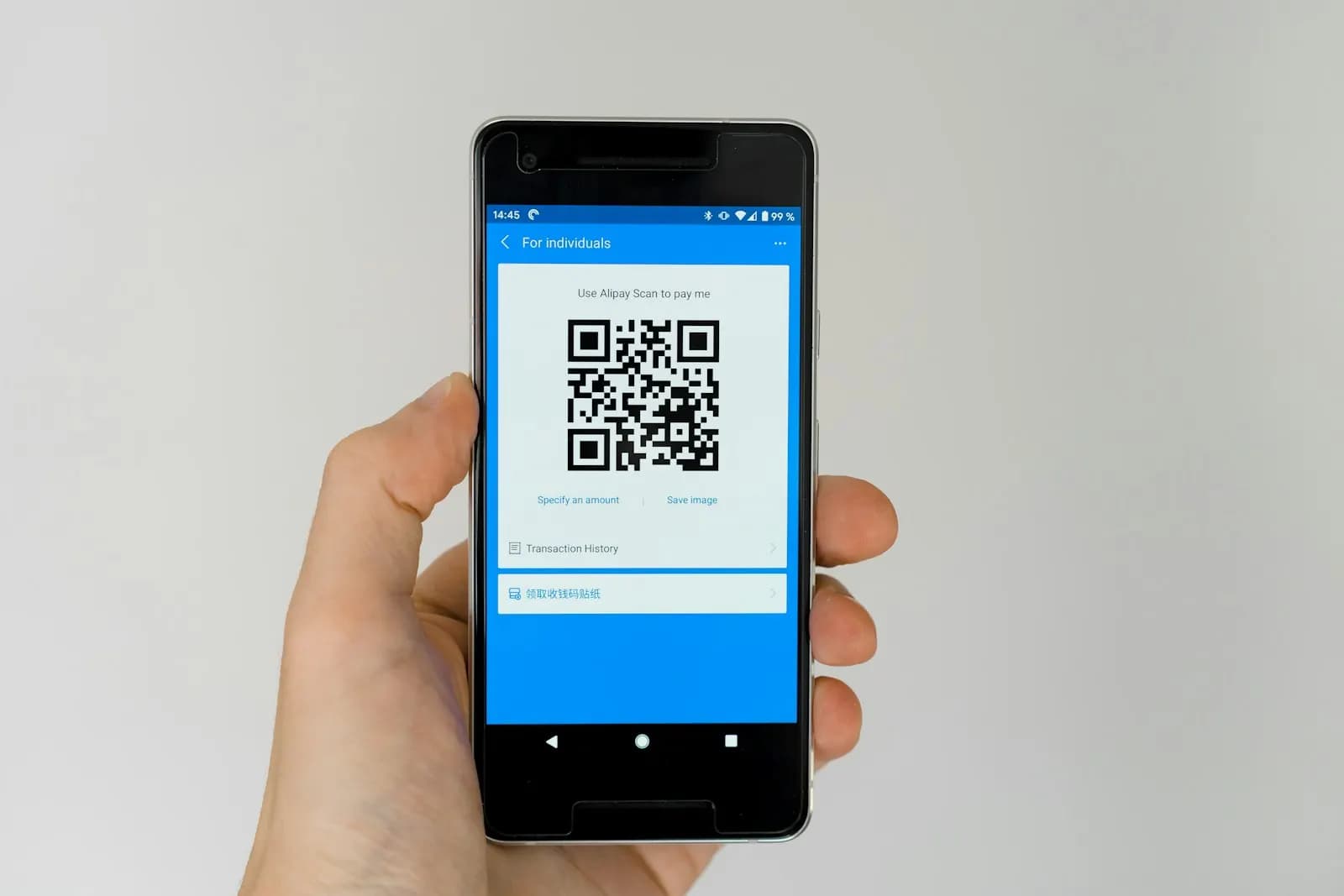
As a buyer, scan the QR with the verification feature on the NIC portal or the official e-invoice QR verifier app before booking a large purchase. A QR that won't verify, or a missing QR from a supplier who is e-invoice enabled, is an early warning: the invoice may not reach your GSTR-2B, and your credit is at risk.
Cancelling or amending an e-invoice
- Within 24 hours: cancel the IRN on the same IRP (or NIC-IRP 1/2 interchangeably) with a reason — duplicate, data-entry mistake, order cancelled or other. Cancellation is all or nothing; there is no partial cancellation.
- E-way bill exists? Cancel the e-way bill first (allowed within its own 24-hour window), then the IRN.
- Invoice number is burned. You cannot generate a fresh IRN on the same invoice number after cancelling; issue a new number.
- After 24 hours: the IRN cannot be cancelled. Raise a credit note (which itself needs an IRN) or, where allowed, correct the details in GSTR-1 before filing.
E-invoice readiness checklist
0/7Penalties for not generating an e-invoice
Rule 48(5) of the CGST Rules says an invoice issued without following the e-invoice procedure is not an invoice. That has three consequences:
- Penalty on you. Under section 122(1), supplying without a valid invoice attracts a penalty of ₹10,000 or the tax evaded, whichever is higher. Other procedural lapses fall under section 125, up to ₹25,000. The State/UT GST Act carries a parallel penalty.
- Buyer loses credit. Without a valid tax invoice, your customer cannot claim ITC — the fastest way to lose a B2B customer.
- Goods can be detained. Goods moving without a valid invoice and e-way bill can be detained in transit.
Example in ₹. You bill machinery worth ₹4,00,000 + 18% GST (₹72,000) without an IRN. If the tax was never paid, the penalty can be ₹72,000 (higher than ₹10,000), plus the tax and interest. Even if you paid the tax, the invoice still breaches the rule and the buyer's ₹72,000 of credit is exposed.
Official links
- NIC e-invoice portal (IRP 1)Registration, status search, IRN generation, QR verification
- IRIS IRPPrivate IRP with free online invoice entry
- Notification 10/2023-Central Tax₹5 crore threshold from 1 Aug 2023
- Notification 23/2021-Central TaxGovernment departments and local authorities exempt
- CBIC Circular 156/12/2021-GSTDynamic QR code on B2C invoices
- GST portalGSTR-1 auto-populated from IRN data
What to do next
Work out your AATO for every year since 2017-18 today; if any year crossed the limit, register on two IRPs and test one invoice end to end before your next billing cycle. Build a GST-compliant layout with our free invoice generator, check tax amounts with the GST calculator, and read how to calculate GST so your invoice totals match the IRP's validation to the paisa.
This is general information, not legal or tax advice — confirm on the official source or with a professional.
Frequently asked questions
E-invoicing is mandatory if your aggregate turnover crossed ₹5 crore in any financial year from 2017-18 onwards. The limit was set by Notification 10/2023-Central Tax from 1 August 2023 and has not been lowered since. Check every year back to 2017-18, not just last year, and count all GSTINs under the same PAN.
If your aggregate turnover is ₹10 crore or more, the IRP rejects invoices, credit notes and debit notes dated more than 30 days before the reporting date (rule in force since 1 April 2025). Below that turnover there is no portal block yet, but the IRN should still be generated before the invoice is issued to the buyer.
No. An IRN can be cancelled on the IRP only within 24 hours of generation, and only in full. If an e-way bill is active, cancel that first. After the window closes, issue a credit note (itself e-invoiced) or correct the details while filing GSTR-1. The cancelled invoice number cannot be reused.
B2C invoices to unregistered buyers are outside e-invoicing; instead, businesses above ₹500 crore turnover must print a dynamic QR code on B2C invoices. Exports, supplies to SEZ units and developers, deemed exports, B2G supplies and B2B supplies are all covered, along with related credit and debit notes.
Yes. The test is whether turnover exceeded the limit in any financial year since 2017-18, so once you cross it, the obligation stays even if later years are lower. If you genuinely never crossed it but the portal shows you as enabled, you can file the e-invoice exemption declaration on the e-invoice portal.
Sources & verification
Figures on this page were checked against the sources below when it was last reviewed on 7 October 2026. Each rate and limit is stored once with its own official source and review date, and official update channels are monitored daily so changes are picked up. How we verify
- 1.Notification No. 10/2023 – Central Tax (e-invoicing above ₹5 crore from 1 Aug 2023) — GST Council / CBIC · accessed 7 October 2026
- 2.Notification No. 23/2021 – Central Tax (government departments and local authorities excluded) — GST Council / CBIC · accessed 7 October 2026
- 3.Revised time limit for e-invoice reporting for businesses with AATO of ₹10 crore and above — IRIS IRP (GSTN-authorised IRP) · accessed 7 October 2026
- 4.E-invoice mandate: exemptions, documents and transactions covered — IRIS IRP (GSTN-authorised IRP) · accessed 7 October 2026
- 5.GST e-Invoice System – FAQs — GSTN · accessed 7 October 2026
- 6.IRN cancellation: all about e-invoice cancellation — IRIS IRP (GSTN-authorised IRP) · accessed 7 October 2026
- 7.GSTN launches 4 private Invoice Registration Portals — IRIS IRP (GSTN-authorised IRP) · accessed 7 October 2026
- 8.Circular No. 156/12/2021-GST – Dynamic QR code on B2C invoices — CBIC · accessed 7 October 2026
- 9.Frequently Asked Questions on Penalties under GST — Commercial Taxes Department, Govt of Tripura · accessed 7 October 2026
- 10.GSTN issues advisory on e-Invoice API and e-Way Bill by IRN API changes effective 1 August 2026 — CAclubindia · accessed 7 October 2026
- 11.GSTN Advisory 668: e-Way Bill enhancements put on hold — TaxUpdate · accessed 7 October 2026
- 12.Multi-factor authentication on e-invoice and e-way bill portals mandatory for all from 1 April 2025 — Taxmann · accessed 7 October 2026
MSMETOOLS is an independent platform and is not affiliated with any government agency, ministry or department.
Tools for this
Invoice Generator
Create professional invoices with tax, logo and custom details.
GST Calculator (India)
Calculate GST for your sales and purchases with current rates.
HSN Code Finder (India)
Find the correct HSN/SAC code for your product.
Related guides
 E-Way Bill 2026: Limit, Validity, Rules & How to GenerateRead guide
  GST Registration 2026: Documents, Limits & Online ProcessRead guide
  Input Tax Credit under GST 2026: Rules, Limits & ExamplesRead guide
  GST Cancellation 2026: REG-16, Suo Moto, Revocation & GSTR-10Read guide
 Official links open the government site in a new tab.